The average Instagram user spends 53 minutes on the platform every day. According to platform usage research, that adds up to roughly eight months of a lifetime staring at a feed. You probably already knew it was too much. And you’ve probably already tried to stop.
Maybe you deleted the app. Maybe you set a Screen Time limit and watched yourself tap “ignore” within three days. Maybe you committed to checking it only at lunch, and somehow it was open again by 10 AM.
If any of that sounds familiar, this isn’t a willpower problem. It’s a design problem. Instagram is built to keep you there, and understanding how it does that is the first step to actually getting out.
Why Instagram Is So Hard to Stop
It works through a mechanism behavioral scientists call variable reward scheduling. Same principle as slot machines: you don’t get a reward every time you pull the lever. Sometimes you do. The unpredictability is the whole point.
When you open Instagram, you don’t know what you’ll find. A photo from a friend you haven’t heard from in months. Nothing worth seeing. Occasionally, something that makes you laugh. The randomness is the feature, not a flaw.
About 63% of Instagram users check the app at least once a day. Nearly half of them open it multiple times. Not because it’s that engaging, but because anticipation itself triggers a dopamine response. The brain lights up in the expecting phase. Research on dopamine and anticipation confirms that wanting is actually more powerful than getting. You’re not there for the content. You’re there for the content shot.
Instagram, should be used mindfully and not misused as a constant distraction. As part of the media and entertainment, Instagram can be useful for connection and creativity, but it should be opened with a purpose, especially when there is an urgent task or important work that needs attention.
Every notification also opens what psychologists call a Zeigarnik loop, an incomplete task the brain feels compelled to close. You hear the ping. You think “just check what it is.” Fifteen minutes later, you’re watching a kitchen renovation reel. The loop opened. You closed it. Instagram wins.
This is the same dynamic that makes any passive feed hard to close, and it’s explored in depth in App Blockers Not Working? What Actually Helps You Stay Focused.
The “Wanting vs. Liking” Problem
Here’s the part most guides miss entirely.
Neuroscientist Kent Berridge spent years distinguishing between two separate brain systems: the “wanting” system (dopamine-driven) and the “liking” system (opioid-driven). His foundational research with Terry Robinson demonstrated that they don’t always fire together, and wanting is the stronger system.
It doesn’t wait for you to enjoy something; it fires when you might. This is why you keep scrolling even when the feed stopped being interesting an hour ago. The wanting is still running. The liking checked out.
This is how Instagram use shifts from enjoyable to compulsive without you noticing the exact moment it happened. You’re not getting pleasure from the app anymore. You’re chasing the anticipation of it. And the algorithm is very good at keeping that anticipation alive.
About 82% of Gen Z adults acknowledge some kind of dependency on platforms like Instagram or TikTok. That’s not because they love these apps. It’s because the wanting system learned the cue and now fires on schedule.
Here’s why this matters: if you’re fighting Instagram by gritting your teeth and telling yourself not to want it, you’re fighting the wrong battle. The wanting won’t switch off through willpower. It stops when you disrupt the cue-reward loop.
Why Your Previous Attempts Didn’t Stick
Three failure modes cover most people.
The cold-turkey delete. Works for four days. Then a stressful afternoon hits, or a long commute, or a Sunday with nothing planned, and the app is back. The trigger that built the habit is still there. You just removed the destination without giving the impulse anywhere else to go.
Screen time limits. Genuinely useful for awareness. Not effective as a ceiling. “Give me 15 more minutes” is one tap, and you’re already mid-scroll when you tap it. The limit lives before the habit kicks in. It doesn’t live inside it.
Willpower-only approaches. These hold until something hard happens. Using personal resolve to fight an app that engineers spent years optimizing for engagement is not a fair fight. If you’ve tried everything and still feel distracted, you’re not alone, and the solution isn’t trying harder.
There’s also a subtler problem. A 2025 study in Scientific Reports found that users who strongly identified as “addicted” to Instagram reported less perceived control over their use, not more. The label isn’t motivating. For most people, it’s quietly demoralizing.
What actually interrupts the cycle isn’t a tighter restriction. It’s restructuring the conditions that trigger the behavior in the first place.
A Framework for Actually Staying Off Instagram
Three stages: understand your trigger, replace the behavior, add structural friction. In that order.
Step 1: Identify Your Trigger
For 48 hours, don’t try to stop using Instagram at all. Just notice when you reach for it and what you were feeling right before.
Most people find two or three consistent triggers. The phone comes out during idle moments, waiting in line, sitting in silence between tasks. It appears after something stressful. It shows up when there’s a vague sense of social FOMO, a feeling that everyone else is doing something you’re not seeing.
Don’t skip this. If you go straight to restriction without knowing your trigger, you’re guessing. And guessing is how you end up relying on willpower at exactly the wrong moment.
Step 2: Replace the Behavior, Don’t Just Remove It
The brain doesn’t accept a void. Remove Instagram without a substitute, and the trigger fires, finds nothing, and defaults back to the old path.
Match the replacement to the trigger:
- Boredom or idle moments: a short podcast chapter, a few pages of a book, a brief walk outside.
- Stress relief: a 5-minute breathing exercise, a walk around the block, a stretch.
- Social FOMO: text one specific person directly. Real connection satisfies the underlying need without feeding the comparison spiral.
This is what most guides skip. They say “find other hobbies” without acknowledging that the hardest moment is the 90 seconds immediately after a trigger fires and you have nothing in hand. The hidden triggers behind losing focus are worth understanding before you build your replacement list.
Step 3: Add Friction That Actually Holds
Now add the structure.
For compulsive use: delete the app. Reinstalling takes 60 to 90 seconds, enough to interrupt the automatic behavior. Most impulse opens can’t survive that barrier.
For frequent-but-not-compulsive use: log out after every session. Impulsive opens are almost always automatic. The extra login step re-engages your prefrontal cortex just enough to break the trance before you’re already in the feed.
For passive scroll drift at work: move Instagram two screens back on your home screen, turn off every notification, and schedule one 20-minute desktop window per day.
If you want structural backup during work hours: a tool like ComfortZoneCheckin catches something the settings don’t. It detects when passive browsing has crossed 20 minutes and sends a gentle nudge, not a hard block, but a check-in prompt that puts your decision-making brain back in charge before the hour is gone.
What to Do With the Time You Get Back
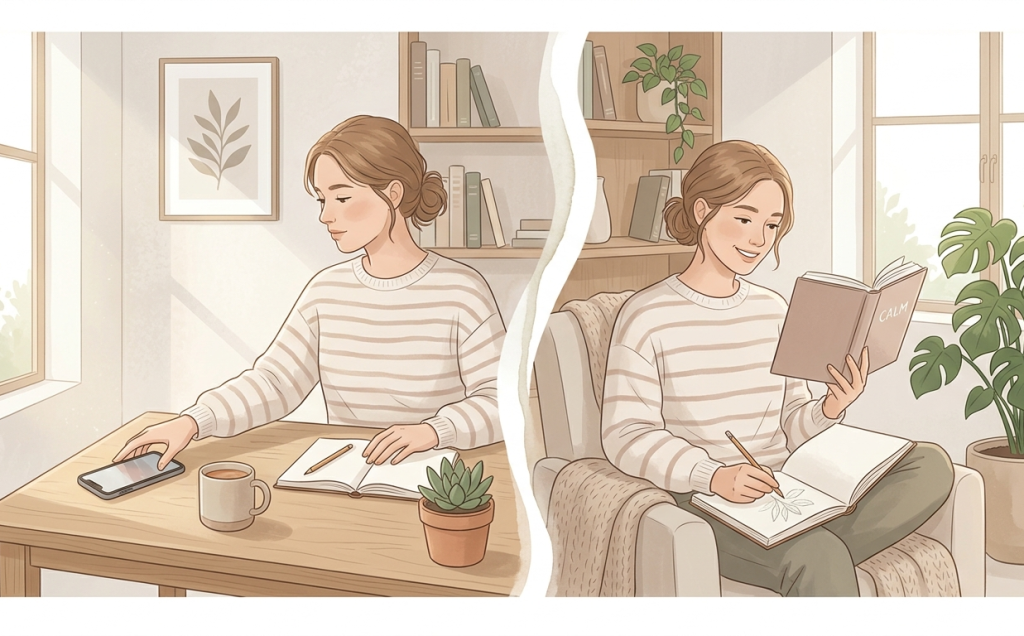
Plan for it. If you don’t, Instagram fills the gap back in.
Before you implement the friction step, write down three specific things you’ve been putting off that scrolling has been crowding out. Not vague intentions, actual things. The book on your nightstand. The half-finished project. An hour with family, you keep pushing to “later.” If you’re looking for productive ways to spend that reclaimed time, exploring AI tools directory platforms can also help you discover apps for learning, writing, design, and workflow automation instead of returning to endless scrolling.
Keep the list visible. When the trigger fires and the app is gone, that list is where the time goes.
The ComfortZoneCheckin use cases page describes this dynamic well: pairing loop detection with a one-click path to a pre-loaded task removes the “what do I do instead?” hesitation that sends most people right back to the feed.
Full Break or Mindful Use – How to Know Which One You Need
Not everyone needs to quit permanently. Some people use Instagram for genuine connection, creative work, or professional purposes, whether they’re sharing updates or directing followers to a link in bio, and do it without the scroll spiral.
A full break is the right call if: your mood reliably drops after sessions, you check it before getting out of bed, it’s cutting into sleep or concentration, or you’ve tried structured use repeatedly and can’t hold the schedule.
Intentional use is achievable if: you can skip Instagram over a full weekend without anxiety, you can open it with a specific purpose and close it when that’s done, and the pull during idle moments is mild rather than urgent.
About 30% of American adults say they feel addicted to social media. Most don’t need clinical support. They need a cleaner relationship with one app. If screen time feels out of control on multiple fronts, What to Do Instead of Screen Time is a good companion read.
Common Setbacks and What They’re Actually Telling You
Setback 1: You redownloaded the app during a stressful week.
That’s not failure. It’s data. Which trigger won? Was it stress, boredom, or FOMO? Adjust the replacement for that specific trigger. Delete the app again. The pattern breaks unevenly over time.
Setback 2: You shifted to using Instagram on desktop instead.
Apply the same framework to the browser. Log out. Block it during work hours with a browser extension. Stick to the scheduled window on desktop now.
Setback 3: You’re missing what your social circle is posting.
Schedule a 10-minute intentional check once a day, at a set time, on desktop. That’s not backsliding; that’s how to stay off Instagram in a sustainable way. You’re feeding the social need without handing control back to the algorithm.
Tools That Help (and What Each One Is Actually Good For)
- iOS Screen Time and Android Digital Wellbeing: start here. The usage data alone is often enough to shift behavior.
- One Sec: forces a one-second pause before opening Instagram. Small intervention, surprisingly effective at interrupting automatic behavior.
- Freedom: stronger blocking across devices. Best for people who need a hard boundary during specific windows. For a broader look at the landscape, 6 Best Tools to Control Instagram and TikTok Usage covers the full category in detail.
- ComfortZoneCheckin: different category. It doesn’t block; it detects passive drift and prompts a mindful check-in after 20 minutes of loop browsing. Designed for people who don’t want a hard block but need something to interrupt the trance before an hour disappears.
The Goal Isn’t to Hate Instagram
Instagram is a well-engineered product built to hold attention. The goal is to use it on your terms, not the algorithm’s. That means understanding the loop, disrupting it with structure instead of willpower, and building a replacement so your brain has somewhere better to go.
Start with 48 hours of observation today. Note when you reach for it and what you were feeling. That single habit changes your relationship with the app before you’ve changed a single behavior.
And if you want a structural safety net while you rebuild, ComfortZoneCheckin provides the nudge at the right moment without hard-blocking everything you actually need.
FAQ
Most people notice a real drop in the pull within two to four weeks of consistent friction and replacement behavior. The first week is the hardest; you’re replacing something automatic with something deliberate, and that takes conscious effort every time. The loop weakens. It rarely disappears entirely, but it becomes interruptible.
Deletion works better for severe compulsive use. If you redownload within hours or can’t hold a scheduled window, a 30-day full deletion is the right starting point. Structured reduction, say, 20 minutes on desktop per day, works well for people who can actually hold the schedule.
Yes. Passive scrolling is consistently linked to higher rates of anxiety and depression, particularly among teenagers. A 2025 CDC study found that teens spending four or more hours on screens daily were roughly twice as likely to show anxiety and depression symptoms. The comparison effect, scrolling through curated highlight reels, tends to be the mechanism.
Your profile, posts, and followers are hidden but not deleted. Nobody can find or see your account while it’s inactive. Log back in anytime to reactivate. Full deletion is permanent after 30 days and can’t be undone, so deactivation is worth trying first.
Yes. iOS Screen Time and Android Digital Wellbeing offer reporting and soft limits. One Sec adds a pause before opening the app. Freedom blocks it across devices. ComfortZoneCheckin detects passive drift and prompts a mindful check-in rather than a hard block.