You downloaded the blocker. Set the schedule. Maybe even paid for the premium plan. And then, three days later, you found yourself disabling it “just this once,” or reaching for a second device, or simply uninstalling it during a moment of frustration.
If that sounds familiar, you’re not alone. App blockers are one of the most popular focus tools out there, and one of the most commonly abandoned. Not because the idea is wrong, but because a blocker alone treats distraction like an access problem, when it’s really an awareness problem.
This post explains why app blockers often fail on their own, what’s actually happening when you get distracted, and what genuinely helps you build focus that lasts.
Quick Takeaways
- The average person checks their phone 186 times a day – and a 2024 CHI study of 1,039 real users found that design friction reduces app-opening attempts, but only when it preserves user autonomy
- App blockers fail when they treat the symptom (the open app) without addressing the cause (the emotional trigger)
- Procrastination research by Sirois and Pychyl identifies distraction as primarily an emotion-regulation behavior, not a productivity failure
- Restriction creates rebellion; awareness creates sustainable change
- The most effective approach combines gentle friction with pattern recognition, not hard lockouts
- Focus improves most when you reduce friction on the right behaviors, not just increase friction on the wrong ones
Why App Blockers Feel Like the Answer (But Often Aren’t)
It makes sense to try an app blocker. You know Instagram is eating into your work time. The logical move is to remove access to Instagram. Block it, and the problem is solved.
Americans now check their phones 186 times a day and spend an average of over five hours on them. That pull isn’t coming from an unlocked app. It’s coming from something deeper: boredom, anxiety, habit, and the brain’s very natural preference for stimulation over discomfort.
Blockers Change the Environment – But Not the Habit
App blockers are a form of environment design, not habit change. They work by removing a choice, which is genuinely useful in the short term. If you can’t open Reddit, you can’t scroll Reddit. That’s real. But the moment the session ends, or you switch devices, or you find a workaround, the behavior is right there waiting. Nothing about the underlying pattern has changed.
This is the core limitation: blockers don’t teach your brain to want something different. They just reroute the same impulse temporarily.
The Workaround Problem
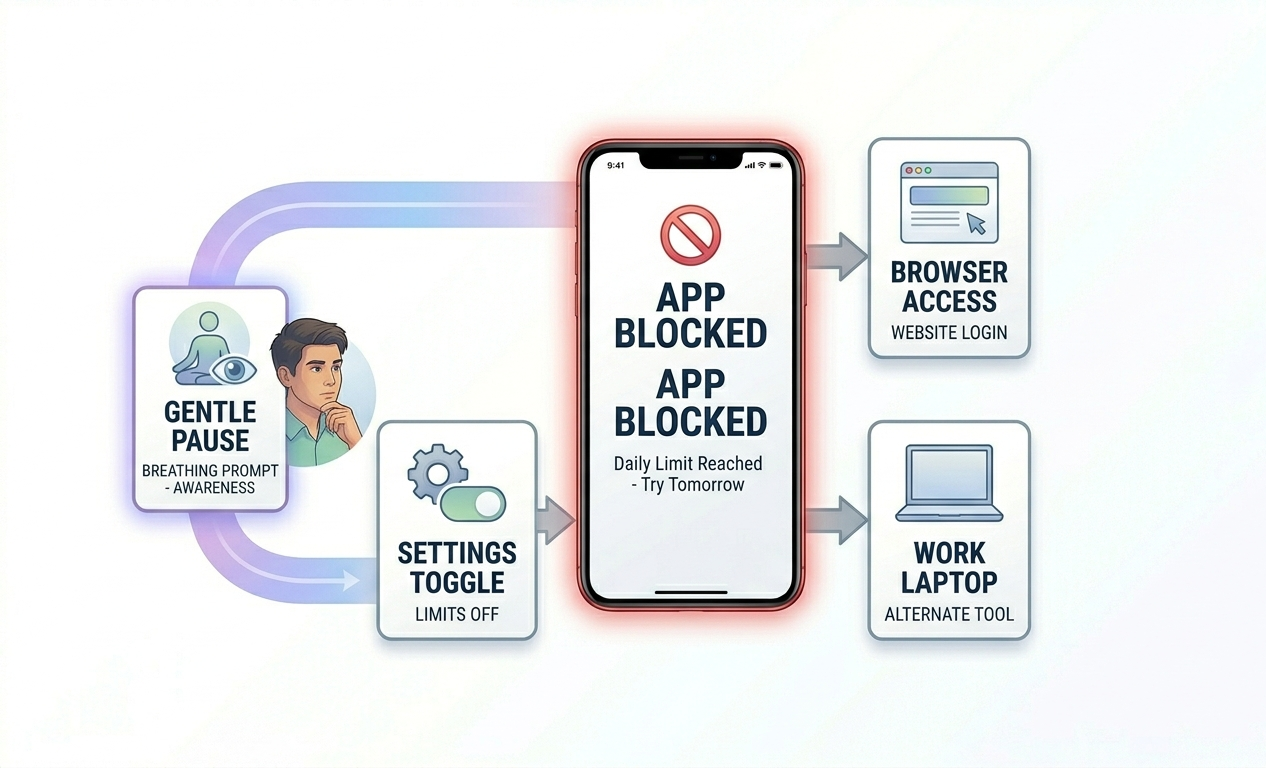
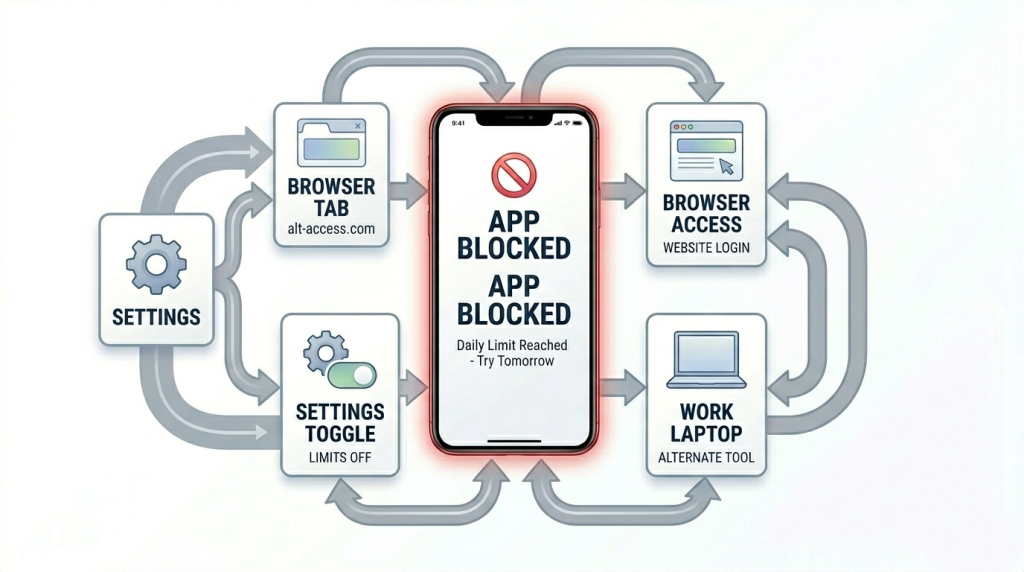
When a blocker feels too restrictive, users simply find a way around it – another device, a different browser, or disabling the app mid-session. The stricter the block, the more creative the workaround.
Research published in Frontiers in Psychiatry (2025) offers a precise explanation for why this happens. When users experienced interventions as an “infringement on their autonomy,” they reported frustration and dissatisfaction even when the tool was technically working. The restriction was reducing usage – but creating enough resentment that users abandoned it. A study using Facebook vibration nudges found that when the intervention was removed, users felt upset and dissatisfied, not liberated. The pent-up impulse came back harder.
The result? You spend cognitive energy fighting the blocker instead of doing the work – which is the opposite of what you need.
What’s Actually Causing the Distraction
To fix the distraction, you need to understand what’s actually driving it. Most of the time, it’s not that the app is there. It’s what the app is doing for you emotionally.
Distraction as Emotional Regulation
The most important insight from procrastination research is this: distraction is not primarily a time-management problem. It’s an emotion-regulation behavior.
Psychologists Fuschia Sirois and Timothy Pychyl, in their landmark 2013 paper in Social and Personality Psychology Compass, argue that when people face tasks perceived as aversive – difficult, ambiguous, threatening, or boring – the brain prioritizes short-term mood repair over long-term goal pursuit. Reaching for your phone is not weakness. It’s the brain doing exactly what it’s designed to do: seek immediate relief from discomfort.
This is why blocking apps without addressing the underlying discomfort so often fails. The relief valve is closed, but the pressure is still building. The discomfort doesn’t disappear; it just has nowhere to go. And when the block lifts, the behavior returns – sometimes more intensely than before.
Neuroscience research on procrastination confirms this framing: distraction is fundamentally a response to task aversion, not an appetitive pull toward social media. Understanding this reframes the problem. The question isn’t “how do I block the thing I’m reaching for?” It’s “what am I trying to escape from, and what would actually help me tolerate it?”
The Scroll Loop You Don’t Notice
There’s a specific pattern that ComfortZoneCheckin calls the Inspiration Loop – when what starts as legitimate research or reference-checking quietly becomes 40 minutes of passive scrolling without you realizing it. You didn’t decide to waste time. You just drifted, and by the time you looked up, the session was gone.
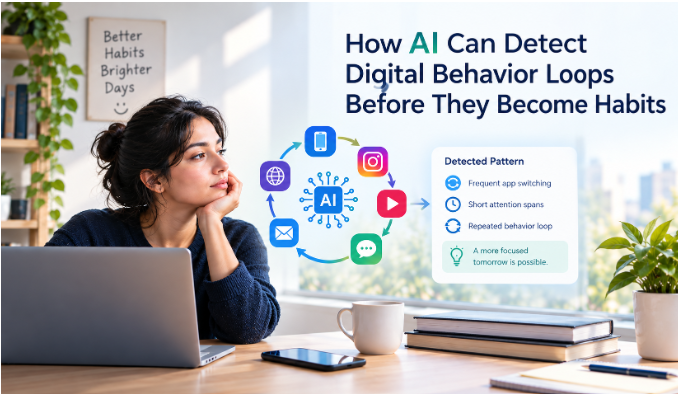
This is one of the hardest things for a standard blocker to address, because it doesn’t happen at the moment you open an app. It happens 20 minutes in, when you’ve crossed the invisible line between purposeful browsing and passive consumption. Understanding what’s actually triggering your focus loss is often the first step that makes every other tool more effective.
What Actually Helps: A Comparison
Not all focus tools work the same way. Here’s an honest look at the spectrum – from hard blocking to awareness-based approaches – and what each actually does:
| Approach | How It Works | Best For | Limitation |
|---|---|---|---|
| Hard blockers (Cold Turkey, Freedom) | Cuts off access completely for set sessions | High-impulse situations, exam periods | Workarounds, lost autonomy, rebound after sessions |
| Soft limits (Screen Time, Digital Wellbeing) | Warns when you hit a time limit | Mild overuse, habit awareness | Easy to dismiss with “Ignore Limit” |
| Mindful pause tools (One Sec, ClearSpace) | Adds friction before an app opens | Breaking autopilot behaviour | Requires the user to still choose |
| Pattern awareness (ComfortZoneCheckin, RescueTime) | Detects drift and surfaces insights | Building long-term habit change | Needs consistent use to build pattern data |
| Environment design | Physical/digital changes (grayscale, phone in another room) | Immediate friction without an app | Doesn’t scale to all distraction types |
The tools that work best long-term tend to be those that build awareness and internal regulation – not just those that build walls.
What Actually Moves the Needle on Focus
Awareness Before Restriction
Research on sustainable focus increasingly points to internal skills – self-awareness, monotasking, environment design – as more durable than external restrictions. Apps can provide scaffolding. But when you rely on a blocker indefinitely, you’re training your brain to depend on something outside itself. You’re not building the internal compass that actually changes behavior.
The shift starts with noticing. Not judging, not punishing – just seeing clearly. When do you drift? What triggers it? What do you open first? Tracking these patterns builds the kind of self-knowledge that makes every other intervention more effective. And if you’re already tracking time but still losing focus, the issue is usually what you’re tracking, not how much.
Gentle Friction at the Right Moment
The strongest piece of recent evidence for friction-based approaches comes from a 2024 study published in the Proceedings of the CHI Conference on Human Factors in Computing Systems. Researchers tracked 1,039 real users of the One Sec app over an average of 13.4 weeks – one of the longest in-the-wild investigations of smartphone overuse interventions to date. The finding: short design frictions effectively reduced how often users attempted to open target apps, and led to more intentional app-openings over time. Crucially, users who took periodic breaks from the intervention quickly rebounded to healthier patterns when they returned – suggesting the friction was building something durable, not just suppressing behavior temporarily.
The mechanism is autonomy preservation. Research consistently shows that gentle friction is more sustainable than hard blocking precisely because it keeps the user in control. A moment of pause – a nudge that says “have you been here a while?” – re-engages the prefrontal cortex before the scroll loop deepens. You’re not being told no. You’re being given a moment to choose.
This is the principle ComfortZoneCheckin was designed around: detecting when passive dwell time has crossed the line, and offering a quiet exit ramp back toward intentional work. Not a lockout. Not a shame prompt. Just a well-timed check-in that gives you back the choice you didn’t realize you’d already made.
Designing the Environment, Not Just the Apps
Some of the most effective focus changes don’t involve any app at all. Physical environment design – putting your phone in another room, enabling grayscale mode, clearing your desktop – produces immediate friction without requiring willpower. The path of least resistance shifts slightly, and over time, that shift compounds.
The same principle applies digitally: fewer open tabs, closed apps not in use, and a single clear task visible on screen. Reducing the number of competing stimuli means your brain has less to filter, and more cognitive energy left for actual work.
Pre-Committing During Calm Moments
Blockers work best when set up in advance – during a calm, intentional moment – a Sunday evening, the start of a workday – rather than in response to a distraction that’s already underway. In the moment of temptation, the emotional brain is already winning. Pre-commitment works with that reality instead of against it.
This is also why implementation intentions outperform vague resolutions: “I will not check social media” is weak; “When I sit down to work at 9am, I will close all non-essential tabs and open the document” is a plan the brain can actually follow.
FAQ: App Blockers and Focus
Because the blocker is fighting an emotional need, not just a bad habit. When you’re mid-task and feel stuck, bored, or anxious, the impulse to reach for something stimulating is strong, and removing access doesn’t remove the impulse. The fix isn’t a stricter blocker; it’s understanding what you’re reaching for and having a better strategy for those moments.
Yes, as a first step, or in high-stakes situations. App blockers buy you time and breathing room to do the deeper habit work. They’re training wheels, not a permanent solution. If you’re relying on external controls indefinitely, you’re not building the internal regulation that actually sticks.
A combination of pattern awareness, gentle friction, and environment design. Understanding when and why you drift gives you something concrete to work with. Gentle nudges at the point of drift are more durable than hard lockouts. And designing your physical and digital environment to make focused behavior the path of least resistance compounds quietly over time.
Absolutely, and that’s actually the most effective approach. The healthiest use of a blocker is to pair it with awareness tools and habit-building, using it as scaffolding while you develop stronger internal regulation. The goal is to need it less over time, not to depend on it more.
Possibly because the blocker has been suppressing behavior without changing the underlying habit. When restrictions lift, the pent-up impulse comes back, sometimes stronger. This is sometimes called the rebound effect. The solution isn’t to tighten the block further; it’s to work on building awareness and self-regulation during the periods between blocks.