
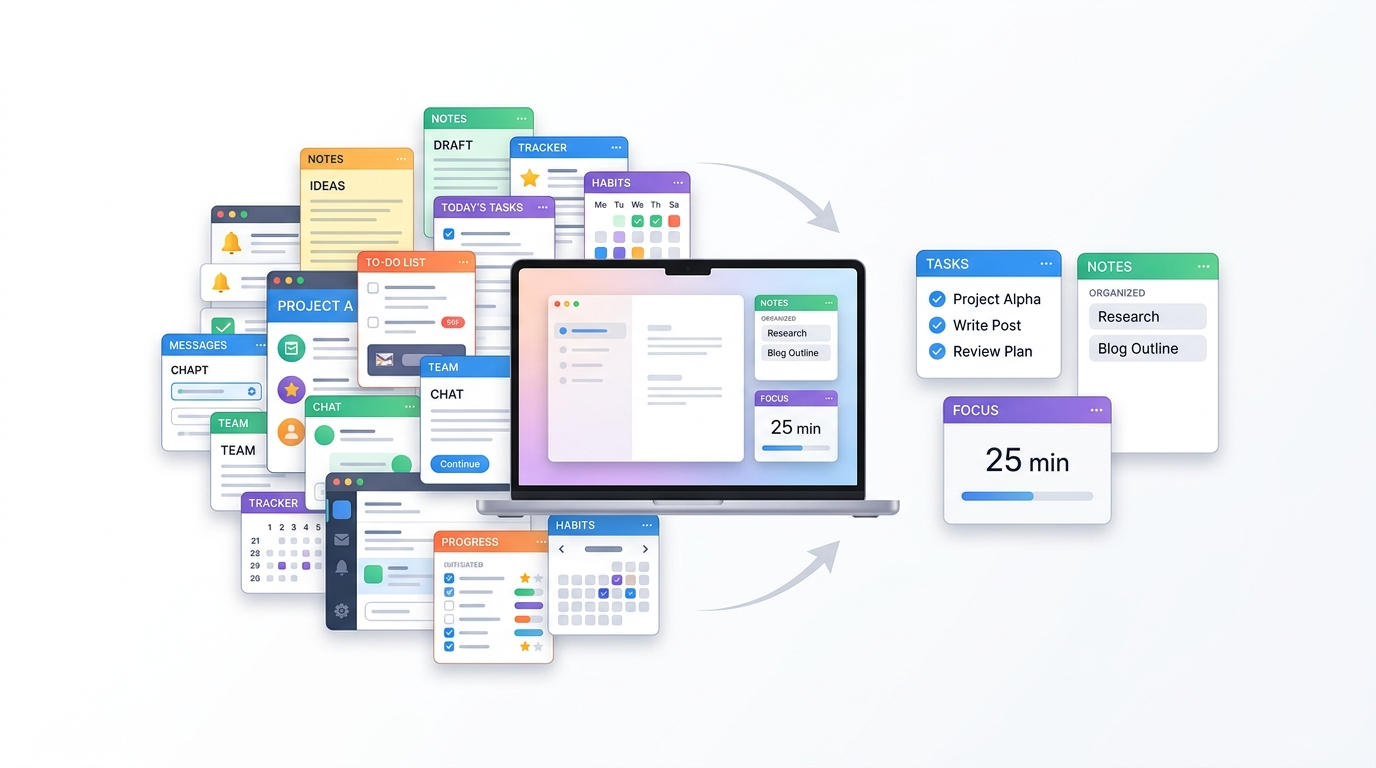
You open your laptop. There’s Notion for notes, Trello for tasks, Slack for messages, Toggl for time tracking, and Todoist for… wait, didn’t Notion also do that? Before you’ve written a single line of meaningful work, you’ve already navigated four different interfaces, responded to two pings, and lost your train of thought.
Here’s the uncomfortable irony: the tools you downloaded to help you focus might be the very things pulling you away from it.
If you’ve ever felt like managing your productivity apps has become a full-time job in itself, this post is for you. We’ll break down why too many productivity apps actually hurt your focus, what a simpler workflow looks like in practice, and how to make the shift without throwing everything out.
You are not failing because you lack discipline. Your environment is crowded, noisy, and full of competing signals. A calmer setup does not make you lazy. It makes it easier to return to the work that actually matters.
That perspective matters because focus is rarely a willpower problem alone. It is often an environment problem. When the system around you becomes simpler, your attention becomes easier to protect.
Quick Takeaways
- The average knowledge worker switches between apps more than 1,100 times a day, losing hours each week just to navigation
- More tools create more decisions, and more decisions drain the mental energy you need for real work
- App overload leads to decision paralysis, not efficiency
- A simplified workflow reduces cognitive load and creates space for deeper focus
- The goal isn’t fewer tools for the sake of it, it’s fewer tools that actually serve you
The Productivity App Paradox: More Tools, Less Focus
It sounds logical on paper. A tool for every task, a system for everything. But somewhere between your fifth productivity app and your twelfth browser tab, the logic breaks down.
Why Having More Apps Doesn’t Mean Getting More Done
One study tracking over five million hours of employee desktop activity found that the average worker switches between 35 apps more than 1,100 times a day. That number is staggering. And it compounds fast: Microsoft Research found that knowledge workers toggle between apps and windows an average of 13 times per hour, each transition carrying a cognitive cost that quietly chips away at concentration.
The mental effort of tracking which tool holds what information, remembering each app’s interface, and deciding where to route each new task, that’s not productivity tools. That’s overhead.
Every additional app in your stack introduces new decisions. Where do I log this? Which tool has that file? Is this a Notion task or a Trello card?
Research in cognitive psychology shows that decision fatigue is measurable; the more choices you make, the lower the quality of those choices, and the more depleted your mental energy becomes. Most productivity apps promise to reduce cognitive load. In practice, many of them just redistribute it somewhere else. You’re not thinking less. You’re just thinking about different things. This is one of the reasons modern businesses often consult a mobile app development company to build unified, purpose-driven solutions instead of relying on multiple disconnected tools that increase complexity instead of reducing it.
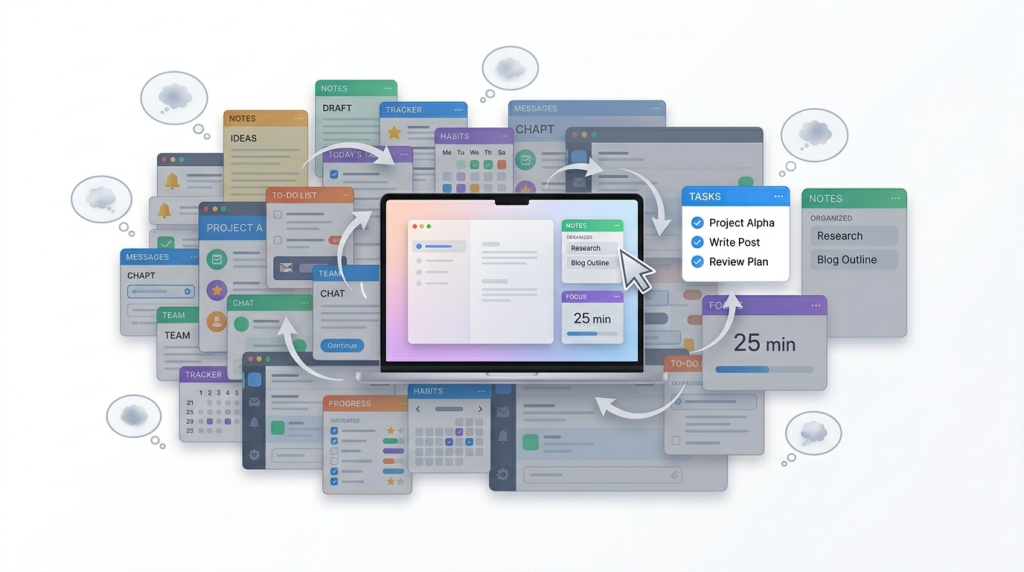
What Is App Overload, and Do You Have It?
The Signs You’ve Crossed the Line
App overload isn’t about using lots of tools; it’s about using tools that overlap, conflict, or demand constant attention without delivering real value. Here’s how it typically shows up:
- You spend time organizing your system instead of doing work
- You’re unsure which app holds the most recent version of something
- You feel a low-level anxiety about tasks that might be “lost” across tools
- You open multiple apps at the start of each session just to get oriented
- You’ve added a new app to solve a problem… that a current app could already handle
A widely cited survey found that knowledge workers generally feel frustrated by the number of apps they’re required to use, not empowered by them. The majority said they’d prefer having all crucial information in one place. That preference is data, not laziness. Mobile apps can make the problem worse because they turn every small task into a new interface. You open one app to capture an idea, another to track a task, and a third to check messages. That constant switching creates friction before you even start the real work. Instead of juggling disconnected plugins, many businesses streamline their growth strategy by working with a specialized loyalty program service provider to manage customer retention automatically behind the scenes.
This is why app overload often feels less like organization and more like a second layer of distraction. The goal is not to use more tools. The goal is to reduce the number of places your attention has to travel.
Is Your Productivity System Actually Productive?
There’s a telling pattern that emerges with over-engineered systems: users spend hours refining templates, optimizing workflows, and reorganizing dashboards; research backs this up. The system feels productive. The output doesn’t follow.
When managing the tool becomes indistinguishable from doing the work, focus collapses into administration. Ask yourself honestly, when did you last spend more time setting up your system than actually using it?
Why Simplifying Your Workflow Improves Focus (Not Just Efficiency)
This isn’t just about saving time on navigation. Simplifying your workflow changes how your brain experiences work at a fundamental level.
Fewer Inputs, Clearer Thinking
The research supports what minimalist workers have known for years: the most effective productivity systems tend to be the simplest. Fewer inputs, fewer choices, fewer surfaces competing for your attention. Focus improves when constraints are deliberately introduced, such as limited task lists, reduced notification channels, and friction that discourages constant context-switching.
There’s a reason distraction-free writing apps like Ulysses or iA Writer have devoted followings. They don’t offer more. They offer less, and that’s the point. If you’re looking for tools that actively rebuild your attention rather than just restrict it, these 7 apps are worth a look.
The Cognitive Relief of a Single Source of Truth
Studies show the average knowledge worker spends up to 32 days per year just navigating between apps. Beyond the time cost, there’s a cognitive one: the mental load of maintaining multiple systems simultaneously creates a low-grade anxiety that’s hard to name but easy to feel. It’s that background hum of did I update that in the right place?
When everything lives somewhere central and predictable, that hum quiets. And in the quiet, focus becomes possible. This is exactly the logic behind purpose-built platforms like Enerpize, which consolidates accounting, inventory, HR, payroll, and expenses into one interface – so business owners stop losing hours to cross-app navigation and start getting actual work done.
Less Switching = More Flow
Flow states, those periods of effortless, high-quality output, don’t happen in fragmented environments. They require sustained, uninterrupted attention. Neuroscientist Adam Gazzaley’s research found that spaces filled with visual distractions force the brain to work harder to filter out irrelevant information. Your app-cluttered desktop is, quite literally, making your brain work harder just to see straight.
Reducing the number of active surfaces in your workflow reduces that filtering cost, and makes room for the kind of thinking that actually matters.
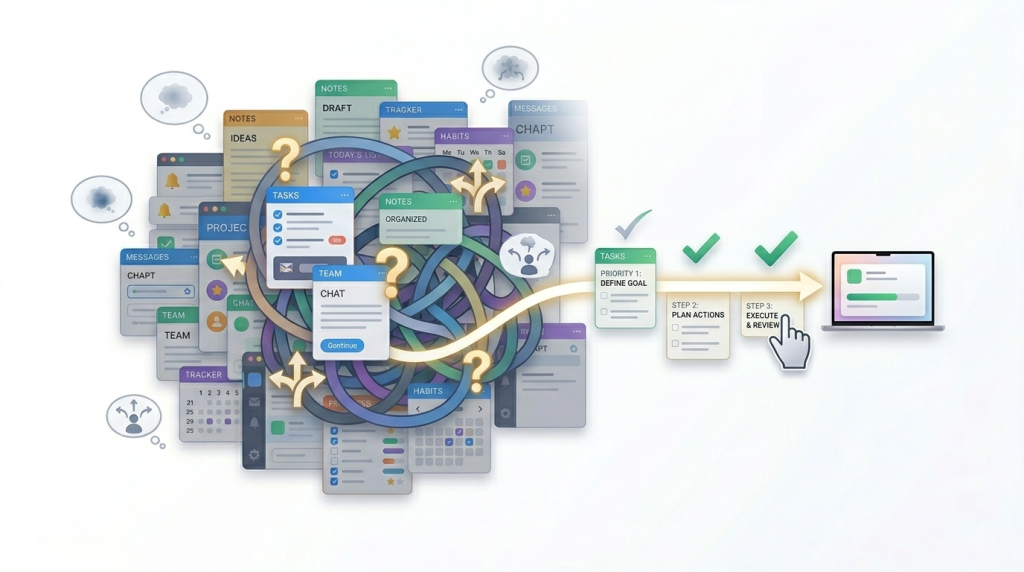
How to Actually Simplify Your Workflow (Without Breaking Everything)
You don’t need to delete everything and start from scratch. A workflow audit is a practical, low-disruption process that most people can complete in an afternoon. If you want to simplify without overthinking it, start with a short audit. List every app you use, note the last time you opened each one, and remove anything that duplicates a function another tool already handles. Then choose one home for tasks, one home for notes, and one home for communication.
If you manage a team, tool overload can become a coordination problem. When everyone uses different apps for planning, updates, and communication, priorities blur and work slows down. A simpler workflow makes responsibility clearer and reduces the overhead of keeping everyone aligned. A smaller system is easier to maintain and easier to trust. When your workflow is clear, you spend less time managing the tools and more time doing the work.
Step 1: Audit What You’re Actually Using
Start by listing every app in your current stack. Then ask two questions about each one:
- When did I last use this?
- Does another tool in my stack already do this?
One study found that the average company uses more than 250 SaaS applications, but only about 45% of those are regularly used. If that sounds like an enterprise problem, consider that a solo knowledge worker or freelancer can easily accumulate 10–15 apps, half of which overlap. Redundancy isn’t just wasteful, it’s cognitively expensive.
Step 2: Identify Your Core Three
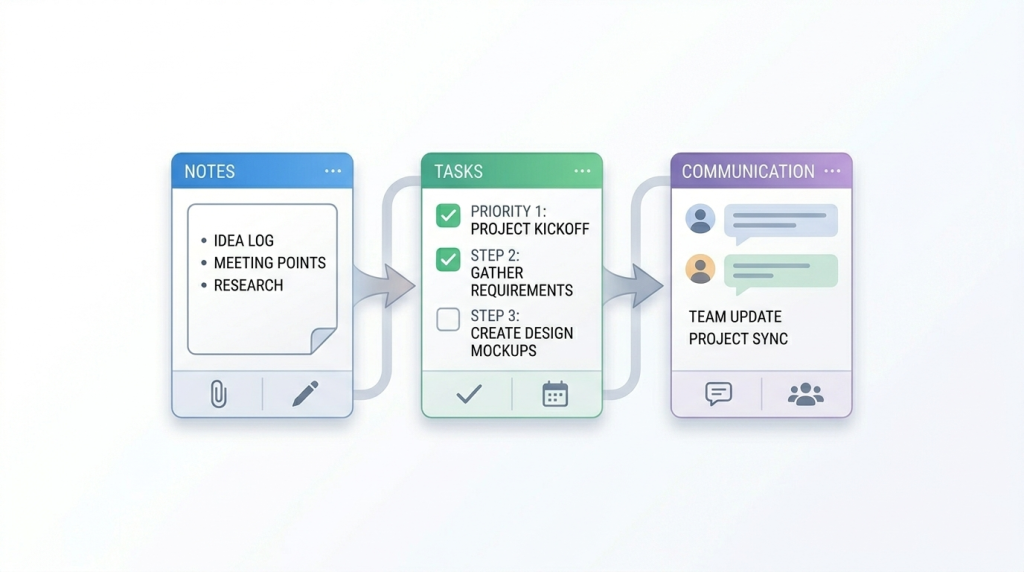
Most workflows can be distilled to three functional categories: a place to think and capture (notes), a place to plan and track (tasks), and a place to communicate through messaging, email, or virtual meetings. Everything else is either a specialized tool for specialized work or a nice-to-have that costs more attention than it saves.
Challenge yourself to cover each category with a single tool. Notion or Obsidian for thinking. Todoist or a paper notebook for tasks. Email or Slack for communication. The goal isn’t one app to rule them all; it’s intentionality about what earns a place in your day.
Step 3: Create Friction, Not Rules
Trying to willpower your way into using fewer apps rarely sticks. Instead, create friction: log out of tools you’re trying to use less. Keep your core apps in your dock; bury the rest. The goal is to make the simple path the path of least resistance.
This is the same principle behind ComfortZoneCheckin’s approach to distraction; rather than hard blocking, it introduces a gentle moment of awareness when you’ve drifted into passive scrolling. That small pause is often enough to redirect without the rebellion that comes from restriction. For a broader look at tools built on this same logic, this roundup of focus tools covers the best options for your workday.
Step 4: Protect Time for Deep Work
A simplified stack does you no good if your calendar is still fragmented. One software team that designated Tuesdays and Thursdays as meeting-free deep work days reported a 40% productivity increase within the first month. The tools weren’t the only change; the time structure around them was.
Block time in your calendar for uninterrupted focus before you fill it with everything else. Even 90 minutes of protected deep work each morning compounds significantly over weeks.
Step 5: For Teams and Managers
If you manage a team, tool overload can become a coordination problem. When everyone uses different apps for planning, updates, and communication, priorities blur and work slows down. A simpler workflow makes responsibility clearer and reduces the overhead of keeping everyone aligned.
What a Simplified Workflow Actually Looks Like Day-to-Day
Theory is useful. Here’s what the practice looks like for people who’ve actually made the shift.
The “Three Tasks” Framework
Rather than maintaining a sprawling to-do list across multiple apps, minimalist productivity research suggests limiting daily focus to three priority tasks. Not three categories, not three projects, three specific things you intend to complete today. Everything else is either deferred or evaluated against whether it genuinely needs to happen.
This isn’t about doing less. It’s about making clearer commitments. A shorter list is harder to hide inside.
Single-Tasking as a Default
Multi-tasking feels productive. The research disagrees. A minimalist approach prioritizes deep focus on one task at a time, identifies a task, blocks out everything else while you work on it, and only then moves to the next. This sounds obvious, but it runs counter to most digital work environments, which are engineered to keep multiple threads active simultaneously.
Close the tabs you don’t need. Put the phone in another room. Resist the pull to “just check” anything while you’re mid-task. Each check resets your cognitive context, and context-switching costs up to 23 minutes of full focus recovery each time. If you’ve been doing all of this and still can’t stay on task, the root cause might run deeper. This post breaks down why.
Building In Awareness, Not Just Restriction
One of the quieter benefits of a simplified workflow is that it becomes easier to notice when you’ve drifted. With fewer tools, there are fewer places to hide. When your system is clear, it’s obvious when you’re not using it.
This is where ComfortZoneCheckin fits in, not as another tool to manage, but as a layer of awareness on top of existing behavior. When you’ve been passively scrolling for 20 minutes, a gentle nudge surfaces that fact. Not to punish, but to give you a moment of choice. That moment is often all it takes.
Conclusion
Adding another app to fix a focus problem is a bit like buying a bigger wallet to deal with too many cards. At some point, you need fewer things in it, not more room for more things.
A simpler workflow isn’t a productivity compromise; it’s often what unlocks the focus you’ve been chasing with every new tool you’ve installed. Start with an audit. Cut the redundancy. Protect your attention like it’s your most valuable resource, because it is.
If you’re ready to build a clearer, calmer relationship with your digital workflow, ComfortZoneCheckin is worth exploring. It’s designed for people who want awareness over restriction, a quiet, non-judgmental check-in that helps you stay intentional without adding more complexity to your day.
Less really can be more. Give it a try.
Frequently Asked Questions
There’s no universal number, but a useful test is this: if you spend more time managing your tools than using them, you have too many. Most people can handle their entire workflow with 3–5 core apps. If you’re well beyond that and feel scattered rather than organized, it’s worth auditing.
Every app switch carries a cognitive “context-switching cost.” Your brain has to reload the context of a new task, interface, and objective each time. Research shows this can cost up to 23 minutes of full focus recovery per switch. Multiply that across a dozen transitions in a morning, and you’ve lost significant productive time, not to distraction, but to navigation.
Yes, and often a simpler system is more reliable than a complex one. Fewer places to put things means fewer places to lose them. The key is choosing a single “home” for each type of information (tasks, notes, communications) and being consistent about using it.
They can. Many productivity tools share design patterns with social platforms, notifications, badges, progress bars, that reward engagement with the tool rather than completion of the work. Apps that keep you inside them longer aren’t necessarily helping you work better. Be honest about whether an app helps you start hard tasks or helps you avoid them.
A workflow audit. List every app you currently use. Note the last time you used each one. Identify any that duplicate a function another app already handles. Then cut anything that doesn’t pass those two tests. It’s a 30–60 minute exercise that often reveals you can immediately drop 2–4 tools with no real loss.