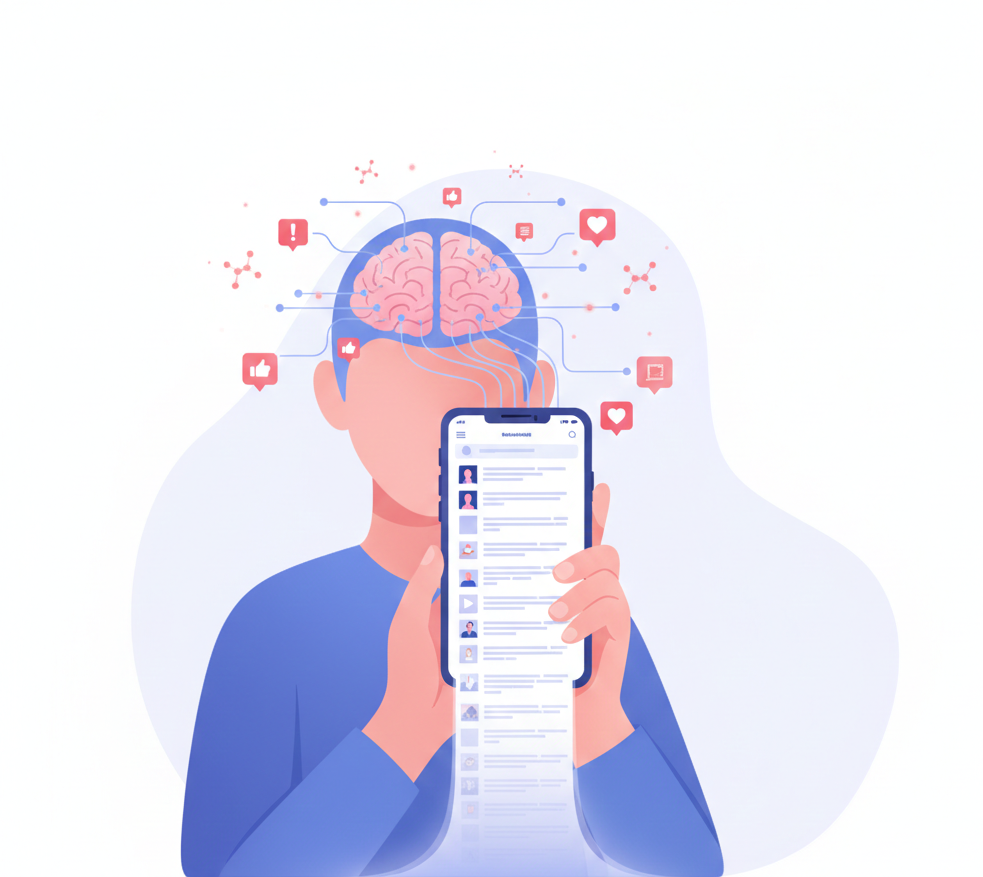
Picture this: it’s late at night, your eyes are weary, and you know you should really be getting to bed. Yet, here you are, irresistibly drawn to your smartphone, scrolling through an endless stream of news articles, social media posts, and notifications. This phenomenon, known as doomscrolling, has become all too familiar in our digital age.
What Is Doomscrolling?
Doomscrolling is the habit of continuously scrolling through negative news consumption and alarming content, even when it starts to make you feel worse. It isn’t casual browsing, and it isn’t curiosity. It’s a loop your brain gets stuck in, built on the same reward mechanics as a slot machine, often compounded by 24/7 news cycles and information overload that never let the feed feel finished.
That is not a crisis of willpower. That is a design problem. Research on the psychological effects of social media has consistently shown platforms are built to influence behavior at a neurological level, and once you understand the mechanism, you can work around it rather than fight it with willpower alone.
The pull isn’t unique to news feeds either. The same unconscious scrolling autopilot that keeps you reading alarming headlines is what drives compulsive short-form video bingeing on TikTok and Reels: different content, identical design. For people who intentionally save social-media content for research or content planning, a download reels without watermark tool can make it easier to keep useful video references organized for later. Dr. Anna Lembke put it plainly on the Huberman Lab podcast: every notification, like, and new piece of content triggers a small dopamine release, the same reward chemical involved in gambling. The neurological impact of repeated digital exposure strengthens habitual patterns in the brain, which is why scrolling stops feeling like a choice at all. You don’t need more discipline. You need a smarter environment.

1. Dopamine Loops Keep You Hooked
Variable rewards and unpredictable content
Social platforms operate on a variable reward schedule, the same mechanic that makes slot machines addictive. You don’t know when the next interesting post will appear, so you keep checking. Psychologist B.F. Skinner showed that unpredictable rewards produce more persistent behavior than predictable ones, and platform designers built around exactly that finding.
Part of why alarming content specifically pulls you in comes down to negativity bias: brains are wired to weight threatening or distressing information more heavily than neutral or positive content, a survival mechanism that predates smartphones by a long way. Feeds exploit that bias directly. On the Huberman Lab podcast, Dr. Huberman explains that repeating the same high-dopamine behavior over and over lowers your baseline joy from it, which is what keeps you scrolling: you’re not chasing pleasure, you’re escaping a deficit the last scroll created.
How to fix it: Add friction and reduce triggers
Most scrolling does not start with a conscious decision. It starts with a trigger – boredom, a notification sound, a stressful moment, or simply seeing an app icon on your home screen.
Your brain loves easy access. If an app is one tap away, you open it automatically. There is no pause, no moment to reconsider. Small barriers change that.
- Move distracting apps off your home screen and into a folder two taps deep
- Log out after every session, so signing in creates a pause
- Delete the app and use the browser version instead – the added friction is significant
- Turn your phone screen to grayscale (proven to reduce screen appeal in multiple studies)
- Keep your phone in another room while working
The smartphone itself is the trigger delivery system; every buzz, light-up, or face-up placement on a desk is a cue your brain has been trained to respond to. Physical distance from the device is one of the most underrated interventions because it removes the cue entirely rather than trying to resist it.
These tiny obstacles give your brain the pause it needs to ask: “Do I actually want to open this right now?” Most of the time, once you pause, the urge fades.
If you’re working on reducing a specific platform, our guide on how to stop using Instagram covers friction-based strategies tailored to that app’s specific design patterns.
2. Infinite Scroll Removes Natural Stopping Cues
In the past, newspapers ended, shows had credits, books had chapters. These natural breaks told your brain it was a good place to stop. Infinite scroll removes that signal entirely; patented in 2006, it’s now the default architecture on every major platform, from Facebook to TikTok’s auto-advancing video feed. Its own inventor has said he regrets it.
Without a stopping cue, your brain assumes something better is always one swipe away, which is why a 5-minute check stretches into 45 without you noticing. Build your own stopping point since the platform won’t: decide on a time limit before you open the app, not after you’ve already lost track, and use your phone’s built-in Screen Time or Digital Wellbeing limits with a passcode you don’t memorize.
How to fix it: Create artificial stopping points
If platforms won’t give you a stop sign, build your own. If you intentionally want to keep a useful video for later rather than repeatedly scrolling through the feed, tools that save Instagram videos online can help you organize content for reference, research, or planning.
- Decide before opening the app: “I’ll scroll for 10 minutes, then close it.”
- Set a timer before you start – not after you notice you’ve been scrolling too long
- Use your phone’s built-in Screen Time or Digital Wellbeing limits with a passcode you don’t memorize
- Close the app after finishing each piece of content, then consciously choose to reopen it
You are adding back the chapter endings that infinite scroll design took away.
For a full breakdown of how to set these limits at the system level, see our guide to limiting total screen time on iPhone.
Every like, comment, or reply triggers a small dopamine release, and your brain quickly learns that notifications mean reward, so it nudges you to check again even when there’s probably nothing new.
Fear of missing out compounds this. FOMO isn’t a personality quirk; it’s a documented psychological response that features like Stories and disappearing content deliberately amplify: check now or miss it. Research consistently links this pattern to worse mental wellbeing and life satisfaction, regardless of what content is actually being consumed.
How to fix it: Turn off non-essential notifications
The fix is not to quit your phone. It is to stop letting your phone summon you.
- Turn off push notifications for all social media apps
- Keep notifications on only for direct messages from real people and essential apps (calendar, maps)
- Remove notification badges from your home screen
- Set specific check-in windows: “I’ll look at Instagram at noon and at 6pm” – and check it on your terms, not the app’s
When the phone stops calling you, the urgency drops significantly.
4. Decision Fatigue Weakens Self-Control
If your scrolling gets worse in the evening, that’s not a coincidence. Psychologist Roy Baumeister’s research on ego depletion describes self-regulation as a limited resource that draws down with use. By evening, after hundreds of micro-decisions and a full day’s information load, you’re overstimulated online and mentally depleted, and scrolling is the lowest-effort thing your brain can reach for.
Don’t rely on willpower when you’re already depleted; make the decision earlier in the day instead. Set a firm cutoff time and enforce it with a physical boundary, like charging your phone outside the bedroom
How to fix it: Pre-plan screen-free windows
Do not rely on willpower when you’re already depleted. Make the decision earlier in the day, when your cognitive resources are intact.
- Set a firm “no phone after 10 pm” rule and enforce it with a physical boundary (charger outside the bedroom)
- Replace scrolling with something that requires slightly more intention but less effort than you’d think: a chapter of a book, a short podcast, five minutes of journaling
- Create a wind-down routine that does not involve a screen – the routine itself becomes the cue that replaces scrolling
This is why understanding how much time you should spend on your phone matters as a starting point – putting a number to it helps you make a real decision rather than drifting.
5. Habit Loops Run on Autopilot
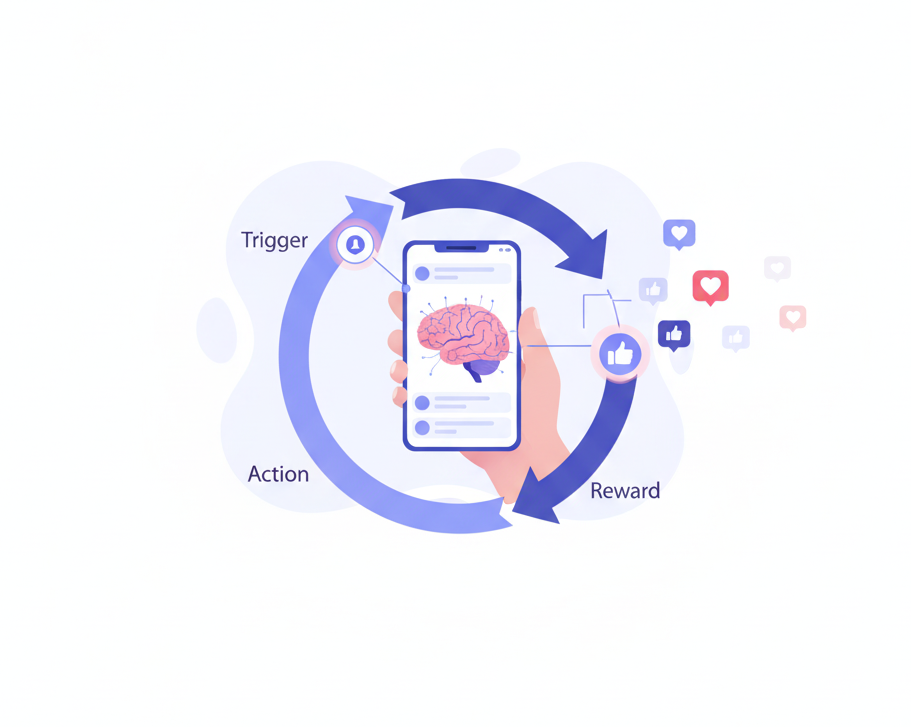
Scrolling follows Charles Duhigg’s classic habit loop: trigger, routine, reward. Boredom or stress (trigger) leads to opening the app and scrolling (routine), which delivers entertainment or validation (reward). Repeat it enough, and endless social media consumption stops being a decision at all; you open the app before you register doing it.
This is also why deleting the app alone often doesn’t work: the trigger and reward are still there, so your brain looks for a substitute. Keep the trigger and reward similar and change only the middle step. If boredom is the trigger, swap in a short walk or a chapter of a book. If stress is the trigger, try two minutes of box breathing or texting one person instead of opening a feed. A prompt that asks why you’re opening an app, before you open it, can interrupt the autopilot loop directly.
How to fix it: Replace the routine, not just remove it
You can’t simply delete the habit. You need to reroute it.
Keep the trigger and reward similar; change only the middle action.
If boredom is the trigger:
- A 5-minute walk
- One chapter of a book or newsletter
- Writing down one idea or observation
If stress is the trigger:
- Two minutes of box breathing (inhale 4 counts, hold 4, exhale 4, hold 4)
- Stretching or getting a glass of water
- Texting one person instead of opening a feed
If boredom after finishing a task is the trigger:
- Set your next task before you finish the current one, so there is no gap for scrolling to fill
Tools that add a check-in moment before you open an app – a prompt that asks why you’re opening it – can interrupt the autopilot loop before it runs. ComfortZoneCheckin is built exactly around this idea: a brief awareness check before the scroll begins, so your decision to engage (or not) is a real one.
For users dealing with ADHD-related phone compulsion specifically, where habit loops are often more entrenched, our guide on how to break phone addiction with ADHD covers additional strategies.
How to Break the Scroll Cycle: A Simple Action Plan
You don’t need to overhaul your life. Start with one change and hold it for two weeks before adding another.
1. Start with one app
Pick the single app that consumes the most of your time. Focus only on that one. Trying to fix all of them at once leads to nothing changing.
2. Remove visual triggers
- Clean your home screen down to essential apps only
- Turn off all social media push notifications
- Move distracting apps into a folder on a secondary screen
- Keep your phone face-down or out of the room when working
If you don’t see it, you are less likely to open it.
3. Set time-bound usage rules
- “Only 20 minutes of social media after dinner”
- “No scrolling before my first work task is done”
- “No phone during meals”
Rules made in advance require no willpower at the moment they apply. That is the entire point.
4. Track your progress weekly
Your phone already tracks this. Open Screen Time (iOS) or Digital Wellbeing (Android) every Sunday and look at the numbers without judgment. Note when you scroll the most. Celebrate week-over-week reductions, even small ones. Adjust the plan based on what the data shows.
Awareness Plus Small Friction Equals Control
Breaking the scroll cycle isn’t about stronger willpower. It’s about understanding how your brain works, recognizing that platforms are designed to exploit those patterns, and adjusting your environment so the default becomes less automatic. Start with one app, hold the change for two weeks, then add another; most people who cut back don’t do it through a dramatic overhaul; they make one small change, notice it working, and build from there.
Moving toward healthier news consumption isn’t about cutting yourself off from information. It’s about choosing when you take it in rather than absorbing it in an endless, undifferentiated stream. If scrolling is affecting your mood, sleep, or ability to feel present, that’s worth treating as a wellbeing signal and, if it persists, raising with a healthcare provider.
Frequently Asked Questions
Doomscrolling means spending long stretches of time consuming negative or distressing content online, usually news or social media, well past the point where it feels good. Most people recognize the pattern only after they notice how drained it leaves them.
Self-control runs lowest at the end of the day, after hours of decisions and mental effort. Scrolling takes almost no effort, which makes it the default your tired brain reaches for once discipline wears thin.
Research links it to higher anxiety and lower life satisfaction, regardless of what content you’re looking at. The scrolling does not relieve the unease that drives it. Studies suggest it tends to feed it instead.