
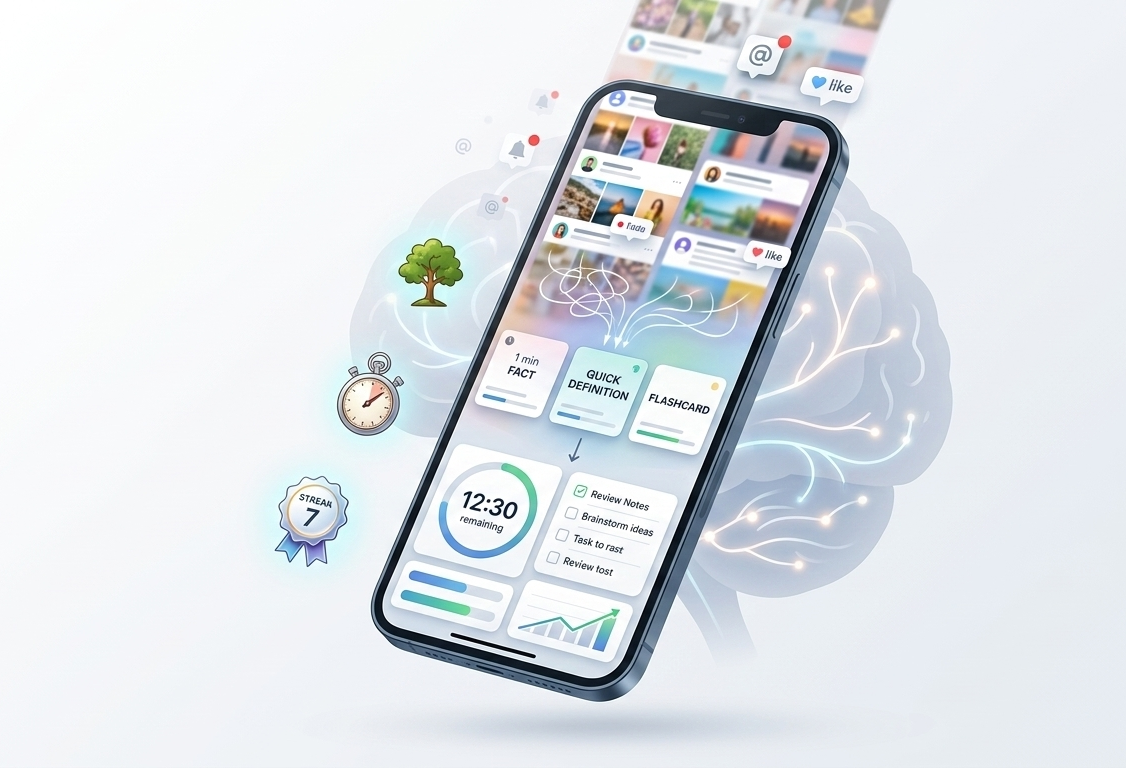
In a world where our attention is perpetually tugged in a dozen directions at once, finding focus can be particularly challenging for individuals with ADHD, especially adults with ADHD juggling work, family, and a phone that never stops buzzing. The relentless cycle of scrolling through social media or bouncing between tasks can feel insurmountable. Technology, often blamed for the distraction, also offers real solutions. ADHD focus apps are tools built specifically for ADHD management, helping you concentrate without relying on willpower alone.
Imagine having a digital ally that understands your unique challenges and helps you navigate daily life with greater ease. Whether you’re a student overwhelmed by assignments, a professional juggling meetings, or anyone in need of a productivity boost, these ADHD-friendly apps have the potential to change how you work and play.
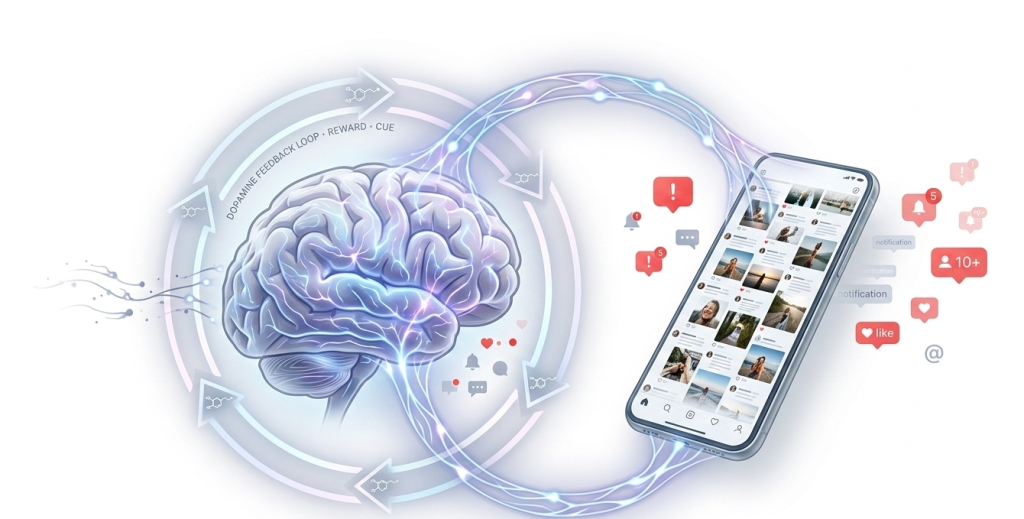
Social platforms use unpredictable rewards to keep attention locked into a loop that’s hard to walk away from.
That pull is especially strong for ADHD brains, which often crave frequent stimulation rather than sustained focus. That’s why “just put your phone away” advice often falls short: it assumes the problem is willpower, not environment design. A blocker removes the tempting path. A timer removes the decision to start. That’s a design fix, not a discipline fix.
Why traditional productivity advice often fails
Many productivity tips rely on discipline and strict self-control. Advice such as “remove your phone” or “just focus on one task” assumes that attention can be controlled through willpower alone. For people with ADHD, the challenge is not a lack of motivation but difficulty managing attention and impulses.
Because of this, rigid productivity systems can feel frustrating or unrealistic. The more useful frame is design, not discipline. Instead of asking “why can’t I focus?” the better question is “what does my environment make easy?” If your phone is on your desk and social media is one tap away, the environment is working against you, not your character. ADHD-friendly apps work because they change what is easy, not because they demand more effort. A blocker removes the easy path to distraction. A timer removes the decision of when to start. A rewards system makes the productive option feel as immediately satisfying as the unproductive one. That is a design fix, not a willpower fix. Instead of forcing long periods of concentration, ADHD-friendly strategies focus on short bursts of attention, visual reminders, and tools that make it easier to return to the task after getting distracted.
The difference between distraction and stimulation needs
| Distraction | Stimulation Need |
|---|---|
| Attention is pulled away from a task by interruptions like notifications or social media. | The brain looks for engaging or interesting activities when a task feels boring. |
| Leads to switching between apps or tasks. | Leads to searching for novelty or excitement. |
| Solution: remove or block distractions. | Solution: add engagement through timers, rewards, or gamified tools. |
Choosing the Right ADHD Management App
Not every ADHD-friendly app works the same way, and the right one depends on where your focus tends to break down. The strongest tools share a few traits: quick setup with no steep learning curve, visual timers that make time itself visible instead of abstract, and small rewards that make finishing a task feel as satisfying as opening social media.
Starting is usually the hardest part, which is why pairing a timer app with the two-minute rule works well: commit to just two minutes, and momentum tends to carry you past the initial resistance.
Start with what’s actually breaking down for you. If you pick up your phone impulsively, a blocker like Freedom or Stay Focused removes the option before the urge takes over. If starting tasks is the hard part, a timer-based app like Forest or Focus To-Do turns beginning into a small, low-stakes commitment. If you lose steam partway through the day, a gamified system like Habitica adds the novelty an ADHD brain is often searching for. If you switch between devices often, prioritize an app like Freedom that syncs restrictions across all of them.it adds novelty and feedback to everyday activities, making them feel less repetitive.
How to pick the right app for your ADHD type
Not every ADHD-friendly app works the same way for every person. The right choice depends on where your attention breaks down most often.
- Step 1: If your main problem is picking up your phone impulsively, start with a blocker like Freedom or Stay Focused. Removing access is faster than building willpower.
- Step 2: If you struggle to start tasks at all, use a timer-based app like Forest or Focus To-Do. The act of starting a timer creates a small commitment that makes beginning easier.
- Step 3: If you lose motivation partway through the day, try a gamified system like Habitica. The reward structure provides the novelty your brain is looking for without requiring you to open social media.
- Step 4: If you use multiple devices, prioritize apps with cross-device sync like Freedom, which prevents bypassing restrictions by switching screens.
The following are 5 Best ADHD-Friendly Apps for Breaking “The Scroll”
1. Forest – Turn Focus Into a Game

Forest takes a different approach to focus, instead of blocking anything, it asks you to make a small commitment. Start a session, and a virtual tree begins to grow. Leave the app, and the tree dies. It sounds simple, but for ADHD brains that respond to visual consequences, this tiny stake is often enough to pause the impulse to scroll.
It works best during short, defined work sprints, studying, writing, or any task where you just need 25 minutes of uninterrupted effort. Over time, your completed sessions build into a visible forest, which gives you something a task list never can: a tangible record of your focus.
Best for: Anyone who needs a visual reason to stay off their phone rather than a strict blocker forcing them off it.
2. Freedom – Block the Biggest Distractions

Freedom works on a simple premise: if the distraction is not accessible, the impulse to open it disappears. It blocks selected apps and websites across all your devices simultaneously, which closes the common workaround of just switching from your phone to your laptop.
The most useful feature is scheduled blocking. You set the distraction-free windows in advance, which means the decision is already made before the urge to scroll even appears. For ADHD brains that struggle with in-the-moment self-regulation, removing the decision entirely is far more effective than relying on willpower each time.
Best for: Deep work sessions where sustained attention is non-negotiable and cross-device consistency matters.
3. Stay Focused – Limit App Usage Before It Spirals
Stay Focused does not try to eliminate social media; it puts a daily limit on it. Once you have used your allowed time for an app, it becomes inaccessible for the rest of the day. No override, no “just five more minutes.”
This approach suits people who do not want to block apps entirely but need a hard boundary to stop unlimited scrolling. You can also customize rules by time of day, so social media might be available in the evening but locked during work hours. It is a boundary system rather than a blocker, which feels less restrictive and is easier to stick with long-term. This system encourages mindful browsing and mindful use rather than unlimited scrolling.
Best for: Android users who want flexible per-app limits without giving up access to apps entirely.
4. Focus To-Do – Structure Your Attention
Focus To-Do connects two things that ADHD often pulls apart: knowing what to do and actually sitting down to do it. You build a task list, then attach a Pomodoro timer directly to each task. When the timer runs, you are working on one specific thing, not a vague intention.
The structured break between sessions is where it quietly earns its value. Short pauses scheduled into your workflow prevent the mental fatigue that usually leads to opening social media “just for a moment.” The task is still there when the break ends, and the timer makes returning to it feel automatic rather than effortful.
Best for: People who lose focus not because they are unmotivated but because they cannot decide which task to tackle next.
5. Habitica – Turn Your Day Into a Game

Habitica reframes productivity as something worth showing up for. Every task you complete earns your character experience points, gear, and progress through a role-playing game layered directly over your real daily habits. It sounds gimmicky until you notice yourself actually completing tasks just to see what drops next.
For ADHD brains that crave novelty and immediate reward, this matters. Most to-do apps offer no feedback for completing a task except a checkbox. Habitica offers leveling up, unlocking items, and joining parties with other users who hold you accountable. The game does not replace the work; it makes the work feel worth starting.
Best for: Anyone who has tried and abandoned traditional productivity apps because finishing tasks never felt rewarding enough to sustain the habit.
How to Actually Replace Scrolling (Instead of Just Blocking It)
Swap scrolling with micro-tasks
Completely removing scrolling habits can feel unrealistic. A more practical approach is to replace them with quick tasks that take only a few minutes.
Examples include organizing files, writing a short note, or reading a page from a book. These small actions create productive momentum.
Use the “2-minute start” trick
Getting started is often the hardest part of any task. The two-minute rule encourages beginning an activity with the intention of working on it for just a short time.
Once the task has started, continuing usually becomes easier because the initial resistance has already been overcome.
Create friction for your most distracting apps
Small barriers can make a noticeable difference in behavior. Removing apps from the home screen, turning off notifications, or logging out of accounts makes accessing them slightly less convenient.
This extra step creates a moment to pause and decide whether opening the app is really necessary.
A Simple 3-Step System to Break the Scroll Habit
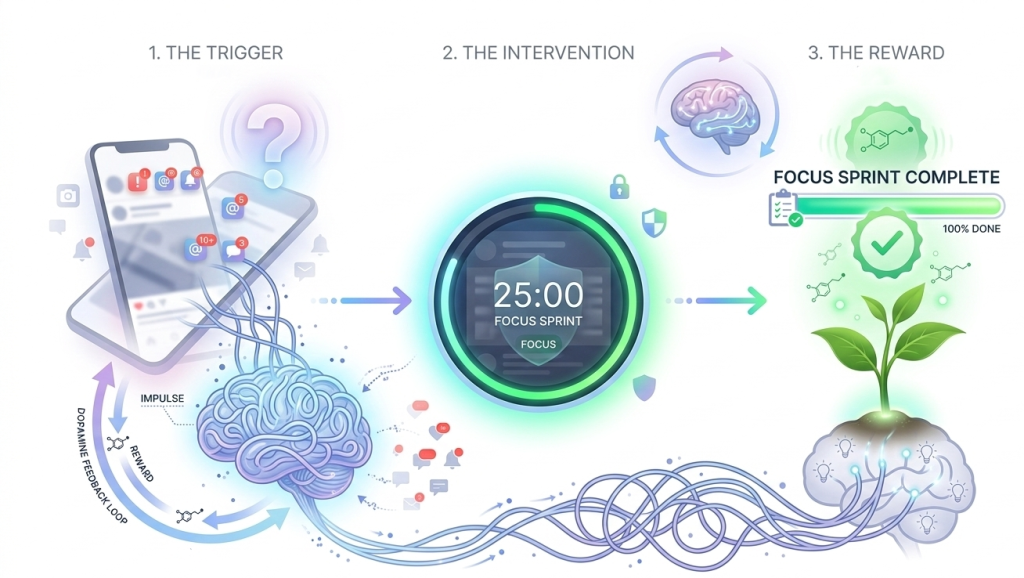
Step 1: Identify your biggest scroll triggers
Pay attention to the moments when scrolling usually begins. It might happen during breaks, while waiting for something, or when a task feels difficult. Recognizing these patterns helps you prepare alternatives in advance.
Step 2: Add a blocker or timer app
Choose one tool that supports your focus style. Whether it blocks distractions or structures work sessions, the key is to use it consistently so it becomes part of your routine.
Step 3: Replace scrolling with short focus sprints
Instead of trying to eliminate phone use, schedule short periods of focused work. Over time, these sessions can gradually replace the habit of reaching for social media whenever attention drifts.
Conclusion
Breaking the scrolling habit is rarely immediate. Even small improvements, such as reducing daily screen time or completing a few focused sessions, can make a meaningful difference over time. Apps provide helpful support, but lasting change comes from combining them with simple habits. Creating routines around focus sessions and breaks helps reinforce healthier digital behavior. Not every strategy works for everyone. Experimenting with different tools and approaches can help you discover what makes it easier to stay engaged and reduce unnecessary scrolling.