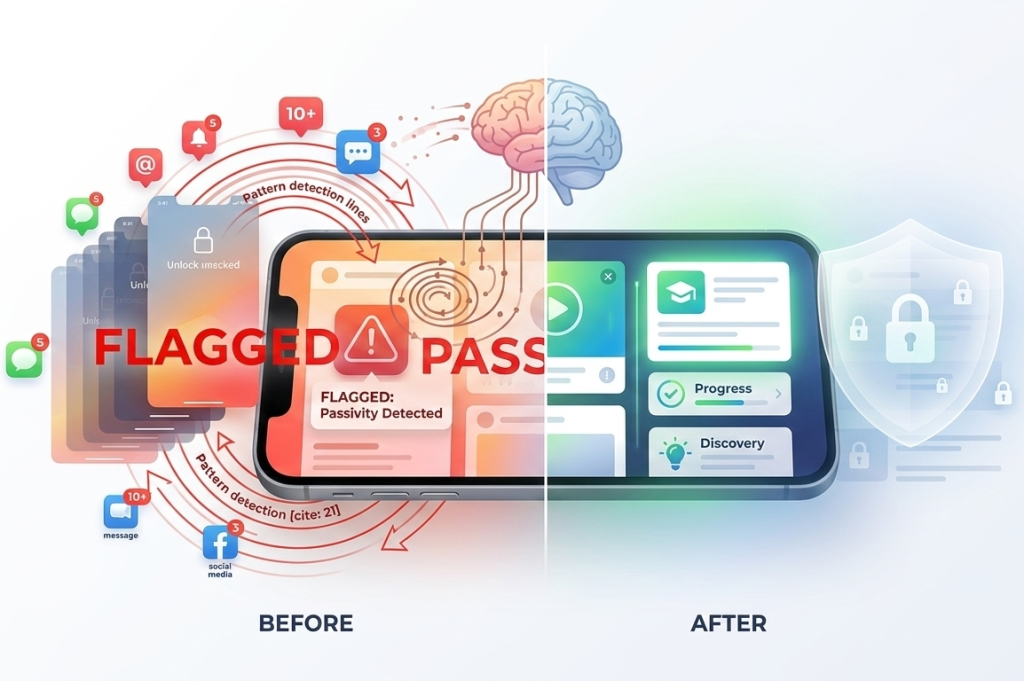
Almost everyone has experienced this moment: you unlock your phone, swipe around for a few seconds, and suddenly realize you don’t actually know why you picked it up in the first place. It happens in the middle of work, during conversations, or even while watching something on TV.
What starts as a quick check can quietly turn into minutes, or even hours, lost to random scrolling.
Introduction:
One of the biggest reasons this happens is because smartphones have become deeply integrated into our daily routines. We don’t just use them for communication anymore, they fill every small gap in our day. Whether it’s waiting for an elevator, sitting in traffic, or taking a short break, the phone becomes the default activity.
Over time, this repeated behavior trains your brain to associate any idle moment with reaching for your phone, even when there’s no real need.
Why This Habit Is So Common
Smartphones are designed to be extremely engaging. Notifications, colorful icons, and social media updates constantly pull our attention. Over time, this creates a habit loop where unlocking the phone becomes an automatic reflex rather than a conscious decision.
Many people check their phones dozens or even hundreds of times per day without realizing it.
Another important factor is unpredictability. Social media apps, news feeds, and messaging platforms operate on a variable reward system, you never know what you’ll see next. This uncertainty makes checking your phone more addictive, similar to how slot machines keep people engaged.
This constant phone checking can affect many areas of life:
- Reduced productivity at work or while studying
- Shorter attention spans
- Increased stress and information overload
- Disrupted sleep patterns
- Difficulty focusing on conversations and relationships
The issue isn’t necessarily phone usage itself, it’s the lack of awareness around it.
There’s also a cognitive cost that often goes unnoticed. Every time you switch your attention to your phone, your brain needs time to refocus on the original task. This constant switching reduces efficiency and can make even simple tasks feel mentally exhausting. In the long run, this habit can impact your ability to concentrate deeply, making it harder to complete meaningful work.
The Good News: You Don’t Need to Quit Your Phone
Some productivity advice suggests deleting social media entirely or switching to a basic phone. For most people, that approach simply isn’t realistic. Phones are essential tools for communication, work, navigation, and entertainment. Instead of removing your phone from your life, the smarter approach is to create friction and awareness around how you use it.
In fact, trying to quit completely often backfires. Many people delete apps or restrict usage temporarily, only to reinstall everything a few days later. This happens because the underlying habit hasn’t changed, only the access has been removed. A more sustainable approach is to change how you interact with your phone, not eliminate it entirely.
How Digital Wellbeing Apps Help Break the Habit
Specialized digital wellbeing apps help interrupt automatic behavior in simple ways:
- Adding a pause before opening distracting apps
- Simplifying the phone interface to reduce temptation
- Tracking how often you unlock your device
- Blocking apps during focus sessions
These small changes help transform phone usage from automatic to intentional.
In this guide, we’ll explore five powerful apps that help stop the “unlock your phone for no reason” habit.
1. ClearSpace – Adds a Mindful Pause Before Apps Open
How ClearSpace Changes Your Phone Behavior
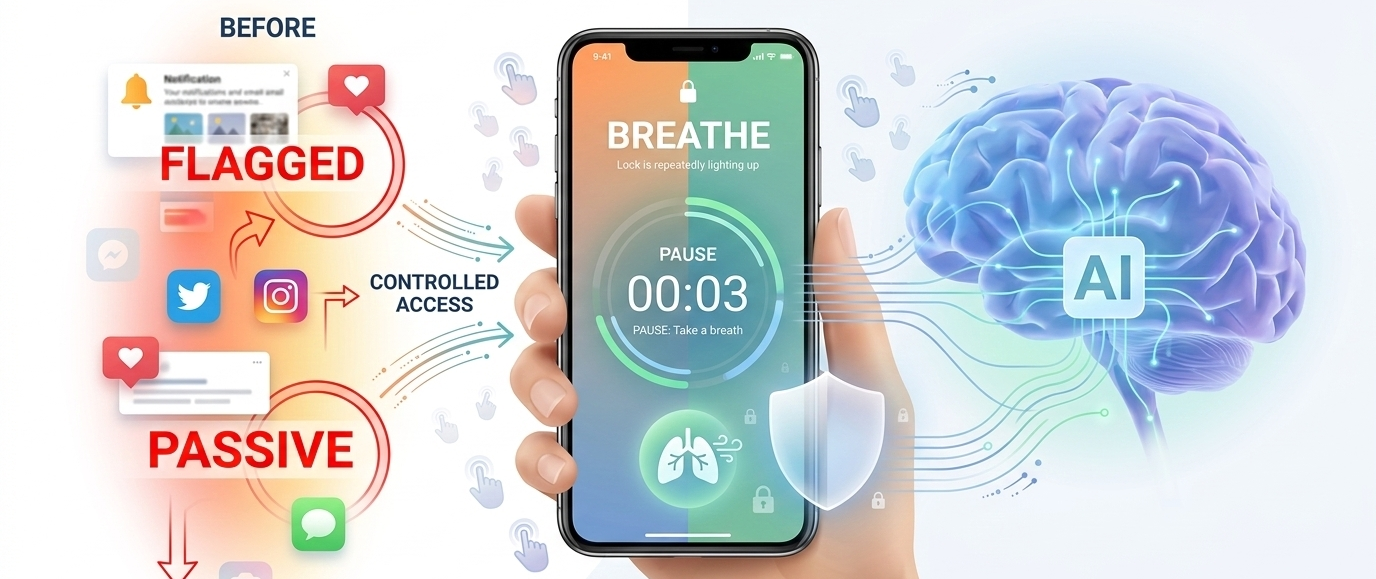
One of the biggest reasons we open apps automatically is speed. The moment you tap an app icon, it opens instantly. ClearSpace interrupts this process by adding a short pause before distracting apps launch. Instead of opening immediately, the app asks you to pause for a few seconds and reflect. This tiny delay often makes people reconsider whether they actually want to open the app.
This simple pause creates a moment of awareness that most people never experience during regular phone use. Instead of acting on impulse, you get a brief window to ask yourself whether opening the app is actually necessary. In many cases, that small moment is enough to stop the action altogether.
Why Pausing Works Psychologically
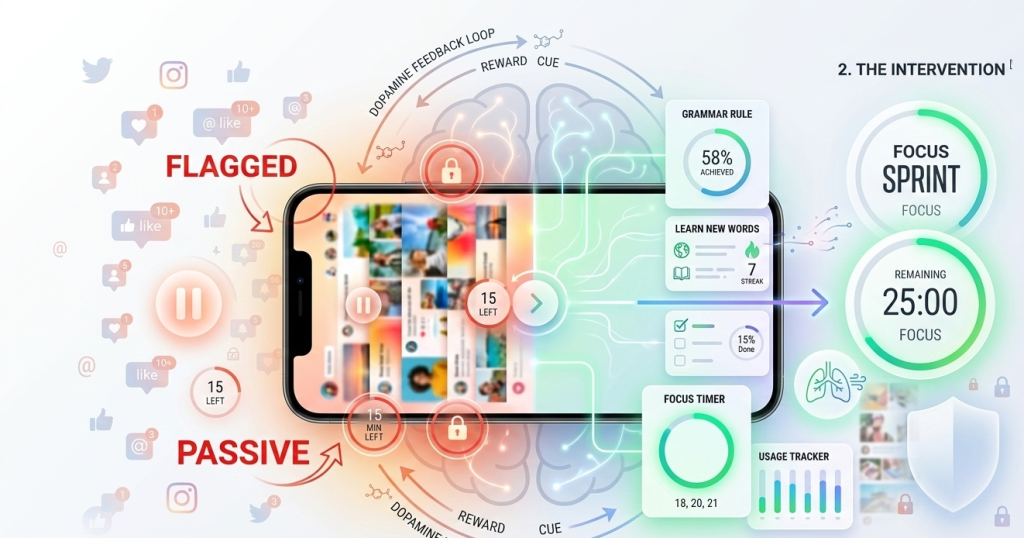
Our brains rely heavily on habit loops:
- Trigger (boredom or notification)
- Action (opening an app)
- Reward (dopamine from new content)
ClearSpace inserts a moment of awareness between the trigger and the action. This breaks the automatic cycle and helps you regain control.
This works because impulsive actions happen quickly and automatically. When you slow the process down, even slightly, you give your rational mind time to catch up with your behavior. Over time, this repeated interruption helps retrain your brain to be less reactive.
Key Features of ClearSpace
- Mindful delay before apps open
You can configure a short delay, usually 5 to 10 seconds, before certain apps launch. - Usage intention prompts
Some versions allow you to set a reason for opening the app. - Usage insights
ClearSpace also tracks how often you try to open specific apps.
Who Should Use ClearSpace
This app is particularly helpful for people who:
- Open social media out of boredom
- Check their phone constantly during work
- Want to become more aware of their habits
Even a five-second pause can dramatically reduce impulsive app usage.
2. Minimalist Phone – Simplifies Your Home Screen
Why Your Home Screen Triggers Phone Use
Most smartphone home screens are designed to attract attention. Bright icons, notifications, widgets, and badges all compete for your focus. Every time you unlock your phone, these visual cues remind you to open apps, even when you had no intention of doing so.
Most people don’t realize how much their behavior is influenced by visual cues. Bright icons, notification badges, and app placement all play a role in guiding your attention. Even if you unlock your phone for a specific purpose, these visual triggers can easily distract you and lead you into unrelated apps.
The Minimalist Phone Approach
Minimalist Phone replaces your normal Android launcher with a simple text-based interface. Instead of colorful icons and cluttered screens, you see a clean list of essential apps. This removes many of the visual triggers that encourage mindless phone usage.
By removing these distractions, Minimalist Phone changes the entire experience of using your device. Instead of being pulled in multiple directions, you’re guided toward a single, intentional action. This shift may feel unusual at first, but many users quickly adapt and find it refreshing.
What Makes a Minimalist Phone Different
The goal isn’t to block apps completely, it’s to make your phone less distracting by design. The interface focuses on functionality rather than stimulation. Another long-term benefit is reduced mental clutter. When your phone interface is simple and predictable, your brain doesn’t have to process as much information every time you unlock it. This can make phone usage feel calmer and less overwhelming.
Key Features
- Text-based home screen
Apps appear as simple text labels instead of colorful icons. - Reduced notifications
The launcher minimizes visual distractions and notification badges. - Intentional navigation
You must search for or scroll to apps instead of tapping icons instantly.
Benefits of a Minimal Interface
Users often notice several improvements:
- Fewer impulsive app openings
- Reduced social media usage
- Better focus while using the phone
Over time, the phone starts to feel more like a tool instead of a source of constant stimulation.
3. StayFree – Tracks and Alerts Phone Pickup Habits
Awareness Is the First Step to Change
Many people underestimate how often they unlock their phones. Some assume they check their phone 20–30 times per day, when the real number may be closer to 80–100 unlocks. StayFree helps reveal these hidden patterns.
Awareness is powerful because it removes guesswork. Instead of relying on assumptions about your phone usage, you can see actual numbers and patterns. This often leads to small but meaningful behavior changes, such as reducing unnecessary checks or setting limits for specific apps.
How StayFree Tracks Phone Behavior
StayFree monitors:
- Screen time
- App usage duration
- Number of phone pickups
- Daily and weekly trends
By visualizing this data, the app helps you understand your digital habits more clearly.
Powerful Alerts That Prevent Overuse
One of StayFree’s most useful features is custom alerts.
You can set limits such as:
- Maximum daily screen time
- App-specific usage limits
- Number of phone unlocks per day
When you cross these limits, the app sends a reminder. These notifications encourage you to pause and reconsider your usage. These alerts act as gentle nudges rather than strict restrictions. Instead of forcing you to stop, they simply remind you to make a conscious decision. This approach is more sustainable because it builds awareness rather than resistance.
Detailed Usage Reports
StayFree also offers detailed reports that show:
- Which apps consume most of your time
- When you use your phone most frequently
- How your habits change over time
This information helps users gradually build healthier digital routines.
Who Benefits Most From StayFree
StayFree is ideal for people who want:
- Data about their phone usage
- Clear limits for specific apps
- Long-term tracking of digital habits
If you suspect you’re checking your phone too often, this app provides the evidence needed to change the behavior.
4. AppBlock – Blocks Apps During Focus Periods
Why Willpower Alone Often Fails
Even when we know an app is distracting, it’s easy to open it “just for a minute.” But that minute quickly turns into a longer distraction. AppBlock removes this temptation entirely during important periods. Willpower is limited, especially when you’re tired, stressed, or distracted. In those moments, it’s much harder to resist the urge to check your phone. By removing access to certain apps, AppBlock eliminates the need to rely on willpower altogether.
How AppBlock Works
AppBlock allows you to block selected apps during specific times or situations.
For example, you can block social media apps:
- During work hours
- While studying
- Late at night before bed
When you try to open a blocked app, the app simply refuses to launch.
Focus Sessions for Deep Work
AppBlock also supports focus sessions, where apps remain blocked until the session ends.
This feature is especially useful for:
- Students studying for exams
- Professionals working on deep tasks
- Writers and creators who need uninterrupted focus
Strict Mode for Stronger Boundaries
For people who struggle with self-control, AppBlock offers a strict mode. This prevents you from disabling the block until the scheduled time ends. Strict mode is especially useful for people who tend to override their own limits. By making it harder to disable restrictions, the app reinforces discipline and consistency.
Key Features
- Scheduled app blocking
- Focus mode sessions
- Website blocking
- Customizable rules for different times of day
By removing access to distracting apps temporarily, AppBlock helps create distraction-free environments.
5. BreakFree – Measures Phone Addiction Levels
Understanding Your Relationship With Your Phone
BreakFree takes a slightly different approach compared to other apps. Instead of focusing only on blocking apps, it evaluates how dependent you are on your smartphone. This perspective shifts the focus from restriction to reflection. Instead of asking “How do I stop using my phone?”, the question becomes “Why am I using it so often?”
How BreakFree Calculates an Addiction Score
The app analyzes several behaviors, including:
- Frequency of phone unlocks
- Total screen time
- App usage patterns
- Duration of usage sessions
Based on this data, BreakFree generates an addiction score that reflects your phone habits.
Real-Time Alerts for Excessive Usage
BreakFree can also send alerts when it detects excessive phone use. For example, if you unlock your phone too frequently within a short time period, the app may suggest taking a break. These reminders help bring awareness to unconscious habits. These real-time insights help you catch habits as they happen, rather than after the fact. This makes it easier to make immediate adjustments.
Long-Term Habit Tracking
Over time, BreakFree allows users to track improvements in their digital behavior.
Seeing the addiction score improve can be motivating and encourage continued progress.
Why This Approach Works
Rather than forcing restrictions, BreakFree encourages self-reflection and behavioral awareness.
For many people, simply seeing their phone usage data is enough to trigger positive change.
Why These Apps Help Stop Mindless Phone Unlocking
They Introduce Friction Into Habit Loops
Most smartphone interactions are extremely fast and frictionless. Digital wellbeing apps development slow this process down slightly, making it easier to think before acting. Even small barriers—like a delay or blocked app—can disrupt automatic behavior. Friction might sound like a negative thing, but in this context, it’s extremely useful. When actions require even a small amount of effort, they become less automatic and more deliberate.
Tracking tools expose habits we rarely notice. Once users see their screen time or phone pickup count, they often feel motivated to reduce it. Data turns vague concerns into clear, measurable insights. Once you become aware of your habits, it’s much easier to change them. What was once unconscious becomes visible and manageable.
They Encourage Intentional Technology Use
Instead of reacting automatically to every notification or impulse, these apps encourage users to ask a simple question: “Do I actually want to open this app right now?” Over time, this fixed mindset leads to healthier digital habits. This shift from automatic to intentional behavior is the key to long-term change. Instead of reacting to every impulse, you start making conscious decisions about how you spend your time.
Small Changes Create Big Long-Term Results
You don’t need to overhaul your entire relationship with technology overnight. Simple steps, like pausing before opening an app or blocking distractions during work—can gradually reshape how you interact with your phone.
Conclusion
The “unlock your phone for no reason” habit isn’t a personal failure; it’s a natural result of how modern apps are designed. Smartphones are built to capture attention. Recognizing this is the first step toward taking back control. The same technology that creates distraction can also help manage it.
Apps like ClearSpace, Minimalist Phone, StayFree, AppBlock, and BreakFree provide practical tools to interrupt automatic behavior. Whether it’s adding a pause, simplifying your home screen, or tracking usage patterns, these apps introduce small barriers that encourage intentional use.
Over time, these tiny changes can significantly reduce impulsive phone checking. Smartphones are powerful tools when used intentionally. By using the right digital wellbeing apps, you can transform your phone from a constant distraction into something that supports your focus, productivity, and mental clarity.