
Yes, Opal is free. The free plan costs $0, never expires, and works on iPhone, Android, and Mac. You get app blocking, one recurring Rule, basic timers, and today’s Opal Score. Opal Pro costs $99.99 a year and adds Hard Mode, unlimited Rules, Allow Only, and your score history.
So the real question isn’t whether you can use Opal for free. You can. It’s whether the paywall is holding back something you personally need.
You’ve probably been here already. You set a Screen Time limit, it popped up, and you tapped “Ignore Limit” without really deciding to. This Opal app review looks at what that $99.99 actually buys, which Pro feature matters most, and how to tell if you’re the kind of user who needs it.
Quick Takeaways
- Opal’s free tier is permanent, not a trial. It covers one recurring Rule plus app blocking.
- Pro is $99.99 a year, $19.99 a month, or $399 once.
- Five things sit behind the paywall. For most people, only Hard Mode really matters.
- If you rarely override your blocks, stay on free.
- If you keep cancelling sessions early, Pro’s Hard Mode is the feature you’re paying for.
- Test the free tier for two weeks before you upgrade.

What Is Opal?
Opal is a screen time app that blocks the apps and websites you pick, on a schedule or a budget you set. It runs on iPhone, Android and Mac.
The core unit is a Rule. A Rule can be a schedule (block Instagram from 9 to 5), a time limit (30 minutes of TikTok a day), or an open limit (open X five times, then it’s locked). On iPhone, Opal works through Apple’s Screen Time permissions, which is why it can block apps at the system level instead of just nagging you.
On top of the blocking sits the Opal Score, a daily number that rolls up how focused your phone use was. There are also focus timers, soundscapes, streaks and gems that reward time spent off distracting apps.
Opal screen time tracking isn’t new territory, to be fair. Apple and Google both ship free versions. What Opal sells is a cleaner design and, on Pro, blocks that are harder to escape. That polish is why it shows up on most lists of the best digital wellbeing apps.
Is Opal Free? What the Free Tier Includes
Opal’s free plan is listed as “free, forever” on its official pricing page. It isn’t a time-limited trial.
Here’s what the free tier includes right now:
- One Rule. That can be a schedule, a time limit or an open limit.
- App blocking for the apps and websites you choose.
- Basic timers and soundscapes for start-now focus sessions.
- Opal Score for today only. You see today’s number, not your history.
- All three platforms. iPhone, Android and Mac.
One Rule sounds tight. In practice, a single well-chosen Rule (say, a bedtime block from 10 p.m. to 7 a.m.) covers a lot of what people install Opal for.
A quick warning on old info. Some third-party pages and even an older Opal help article still describe the free plan as three recurring sessions. The current pricing page says one Rule. Go by the pricing page.
The free tier is a real test, not a demo. You can live on it for months and learn exactly where it pinches.
Opal Pricing: Free vs Pro vs Lifetime
Opal Pro comes in three billing options, plus a Teams plan for companies.
| Plan | Price | What you get | Trial |
| Free | $0, forever | 1 Rule, app blocking, basic timers and soundscapes, today’s Opal Score | n/a |
| Pro (yearly) | $99.99/year (about $8.29/month) | Hard Mode, unlimited Rules, Allow Only, advanced timers and soundscapes, score history | Free week |
| Pro (monthly) | $19.99/month | Same as Pro yearly | 3 days |
| Lifetime | $399 one time | Same as Pro, paid once | None |
| Teams | Contact sales | Everything in Pro, single invoice, account manager | n/a |
The math is lopsided. Twelve months on the monthly plan costs about $240, more than double the yearly price. Monthly only makes sense as a short test. Lifetime breaks even with yearly after roughly four years, which is a long bet on any habit tool.
A few ways to pay less. Students can apply for up to 50% off Opal Pro. On iPhone, getting five friends to sign up through your referral link earns a free year. Yearly and lifetime plans bought on iOS can also be shared with your household through Family Sharing.
What Opal’s Paywall Actually Gates
Most Opal reviews list the Pro features and stop there. That’s not much help. A better question is which problem each feature fixes, because you only need the ones that match how you actually lose time.
Hard Mode: for people who cancel their own blocks
Hard Mode removes the way out. Once a session starts, you can’t turn Opal off or end it early. If your usual pattern is “block starts, I get restless, I cancel it,” this is the feature built for you.
Unlimited Rules: for people with complex routines
Free gives you one Rule. If you want a morning block, a workday time limit and a bedtime lockout, you need three. Pro removes the cap.
Allow Only: for people stuck playing whack-a-mole
Block Instagram and you drift to YouTube. Block YouTube and Reddit shows up. Allow Only flips the logic: everything is blocked except the short list you approve. It suits deep work and bedtime well.
Score history: for people who need to see a trend
Free shows today’s score. Pro shows how it moves over weeks. Useful if feedback motivates you, easy to skip if it doesn’t.
Advanced timers and soundscapes: nice, not necessary
More focus sounds and timer options. Pleasant. Nobody should pay $99.99 for these alone.
Run down that list honestly. Most people find one feature that matters to them, and it’s usually the first one. If none of the five describe you, that’s your answer too.
Why Hard Mode Is the Feature People Pay For
There’s a reason the cancel button is the real problem, and it’s backed by research.
In a randomized experiment published in the American Economic Review, economists Allcott, Gentzkow and Song gave people the option to set limits on their future screen time. Use dropped substantially. Their model put roughly 31% of social media use down to self-control problems, and people tended to underestimate those problems. That’s the definition of needing a commitment device: a choice your calmer self makes so your tempted self can’t undo it.
Friction is the other half. A six-week study in PNAS tested one sec, an app that adds a short delay before a chosen app opens. Users backed out of 36% of open attempts, and actual openings fell 57% over the six weeks. The interesting detail? The time delay worked. The reflective message on its own didn’t.
Put those together and Hard Mode makes sense. A reminder asks you to choose well in the moment, which is exactly when you won’t. Hard Mode takes the choice away for a while. Some people need that. Plenty of people don’t, and that’s fine too.
What Opal Does Well
Opal is the most polished app in this category, and it shows.
- Design. Setup is quick, the interface is calm, and the gems and streaks feel like encouragement rather than scolding.
- Scheduling. Rules run in the background once set. You don’t have to remember to start a block at 10 p.m.
- Cross-platform. iPhone, Android and Mac under one account, which most competitors can’t match.
- Track record. Opal shows a 4.8 rating from more than 150,000 App Store ratings on its pricing page.
- A usable free tier. Plenty of apps call a three-day trial “free.” Opal’s free plan is permanent.
Where Opal Falls Short
No software block is airtight. Opal’s controls live on the same phone you’re trying to put down. Researchers at Tufts catalogued 21 bypasses for Apple’s parental controls alone. Hard Mode makes escaping much harder. A determined person on a bad night can still find a way.
The price adds up. $99.99 a year is more than many one-time physical blockers cost outright, and you pay it again every year.
Android isn’t quite iPhone. Android has no direct equivalent of Apple’s Screen Time framework, so Opal uses a different blocking method there. One reviewer notes it’s less absolute on Android, and some family protections are still iOS-only.
Limits can backfire if you set them loosely. Research by Duke professor Jordan Etkin found that setting time limits sometimes increased time spent. Anything under the limit felt fine, so people used up to it. Only tight, well-calibrated limits held. An unlimited set of loose Rules won’t fix that.
And Opal is a restriction tool. It blocks the behavior. It doesn’t do much to explain why you reach for the phone in the first place. Was it boredom? A hard email you didn’t want to answer? A blocker can’t tell you, and that’s often the part that makes change stick.
Is Opal Worth Paying For?
It depends on how you fail. Honestly, that’s the whole review.
- Stay free if you drift: You lose time out of habit, not compulsion. A block is usually enough to stop you, and you rarely cancel one. One good Rule covers you.
- Pay for Pro if you override: You start blocks with good intentions and end them early. Hard Mode is the fix, and the yearly plan is the sensible way to buy it.
- Skip monthly unless you’re testing: At about $240 a year, it’s the worst value on the page.
- Think twice about Lifetime: Four years is a long time to bet on one app.
Not sure which one you are? Use the free tier for two weeks. It costs nothing, and it’s the most honest data you’ll get. Pick the one window that hurts most. For many people, that’s the last hour before bed or the first hour after waking. Set your Rule there, and set it lower than feels comfortable. Each time you end a session early, make a note. Paper works. So does a sticky note on the back of your phone. Zero or one override means free is fine. Several means you’re an override user, and Pro’s Hard Mode is worth a look.
Opal Alternatives Worth Knowing
Opal isn’t the only way to cut screen time, and some of these cost nothing.
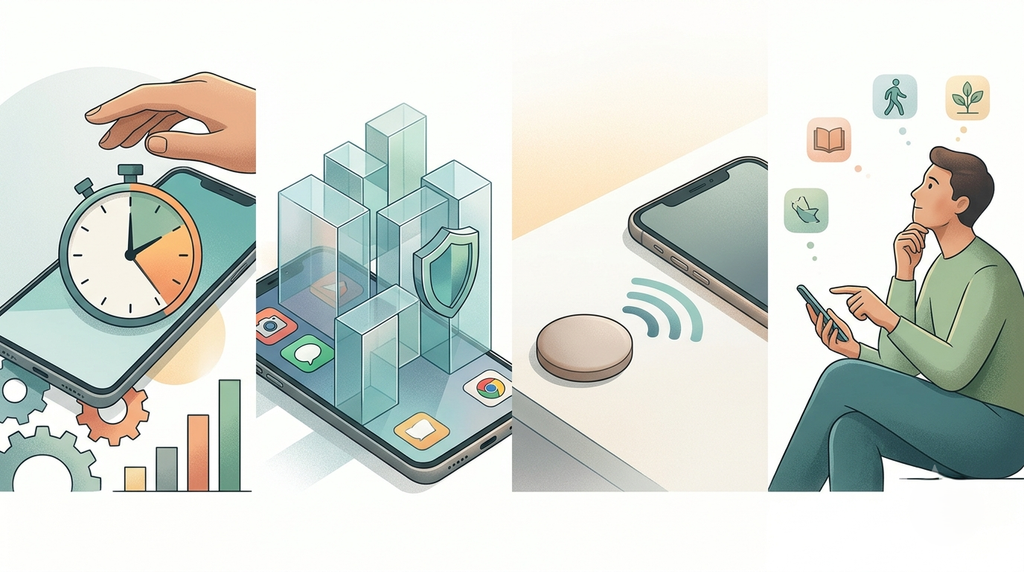
- Apple Screen Time and Android Digital Wellbeing. Free and built in. Weak if you’re an override user, since “Ignore Limit” is one tap away. Our guide to apps that limit screen time covers stronger options.
- one sec. Adds a short pause before chosen apps open. Good for drift users who want friction instead of a wall.
- Physical blockers. NFC devices like the Brick blocker make you walk to an object to unlock your apps. That’s friction no app can copy.
- Awareness-first tools. Some tools focus on spotting the pattern rather than blocking the app. That’s the approach behind ComfortZoneCheckin
Conclusion
Opal is free, and the free tier is good. For a lot of people, it’s enough.
Pro earns its $99.99 for one kind of user: the person who keeps cancelling their own blocks. For them, Hard Mode is a commitment device, and the research says commitment devices work. For everyone else, one well-set Rule and a bit of honesty about your habits will do most of the work.
Try free first. Count your overrides. Let that number decide.
Frequently Asked Questions
Yes. Opal’s free plan is permanent and costs $0. It includes one recurring Rule, app blocking, basic timers and soundscapes, and today’s Opal Score on iPhone, Android and Mac. Pro features like Hard Mode, unlimited Rules, Allow Only and score history need a paid plan.
Yes. Opal runs on Android as well as iPhone and Mac. Blocking on Android uses a different system than Apple’s Screen Time framework, so it can be slightly less airtight, and some family features are currently iPhone-only.
Deleting the app doesn’t cancel your subscription. If you subscribed in the iPhone app, cancel through your Apple ID subscriptions in Settings. Apple handles those refunds, not Opal. Purchases made on Opal’s website come with a 30-day money-back guarantee.
For most people, yes, mainly because of design, scheduling, and Hard Mode. Screen Time is free, but its “Ignore Limit” button makes it easy to override. If you never override your limits, Screen Time may be all you need.