

Introduction:
Why Pomodoro apps help improve focus
When it comes to enhancing focus and productivity, Pomodoro apps play a crucial role in helping individuals manage their time effectively. These apps are designed to break work into intervals, typically 25 minutes long, separated by short breaks. This technique is known to improve concentration and reduce mental fatigue.
Overview of Forest and Focus To-Do
Among the popular Pomodoro apps, Forest and Focus To-Do stand out for their unique features and approaches to boosting productivity. Forest, for instance, motivates users to stay focused by growing virtual trees during work sessions. If users leave the app before the set time, their tree dies, encouraging them to avoid distractions and stay on task.
On the other hand, Focus To-Do takes a different approach by combining Pomodoro timers with task management tools. Users can create to-do lists, set priorities, and track their progress alongside the focus timer. This integration allows users to not only manage their time effectively but also prioritize tasks based on their importance.
How the two apps approach productivity differently
While both apps aim to improve focus and productivity, they cater to different preferences and work styles. Forest appeals to visual learners and those motivated by gamification, whereas Focus To-Do appeals to users who prefer a more structured approach to task management.
Ultimately, the choice between Forest and Focus To-Do depends on individual preferences and work habits. Some users may benefit more from the visual cues and motivation provided by Forest, while others may find the task management features of Focus To-Do more beneficial in organizing their workflow.
Quick Overview of Both Apps:
When it comes to boosting productivity and staying focused, having the right tools can make all the difference. In this comparison between Forest and Focus To-Do, we’ll delve into the key features of both apps to help you decide which focus timer suits your needs best.
Forest – Gamified focus sessions with virtual trees
Forest app offers a unique approach to productivity by gamifying focus sessions. Users plant virtual trees during their focus time, and if they stay focused until the timer runs out, a tree is added to their digital forest. It’s a visually appealing way to track productivity and stay motivated to resist distractions.
Focus To-Do – Pomodoro timer combined with task management
On the other hand, Focus To-Do combines the popular Pomodoro technique with task management features. The app allows users to break their work into focused intervals with short breaks in between. Additionally, users can create task lists within the app to organize their workflow effectively.
Both apps aim to enhance focus and productivity, but they cater to different preferences and work styles. Forest is ideal for those who respond well to visual incentives and enjoy a gamified approach to task management. In contrast, Focus To-Do is perfect for users who prefer a more structured approach to time management with integrated task planning features.
In conclusion, the choice between Forest and Focus To-Do ultimately depends on your individual work preferences and productivity goals. Experimenting with both apps can help you determine which focus timer aligns best with your workflow and helps you achieve your productivity milestones effectively.
How Each App Helps You Focus
Forest:
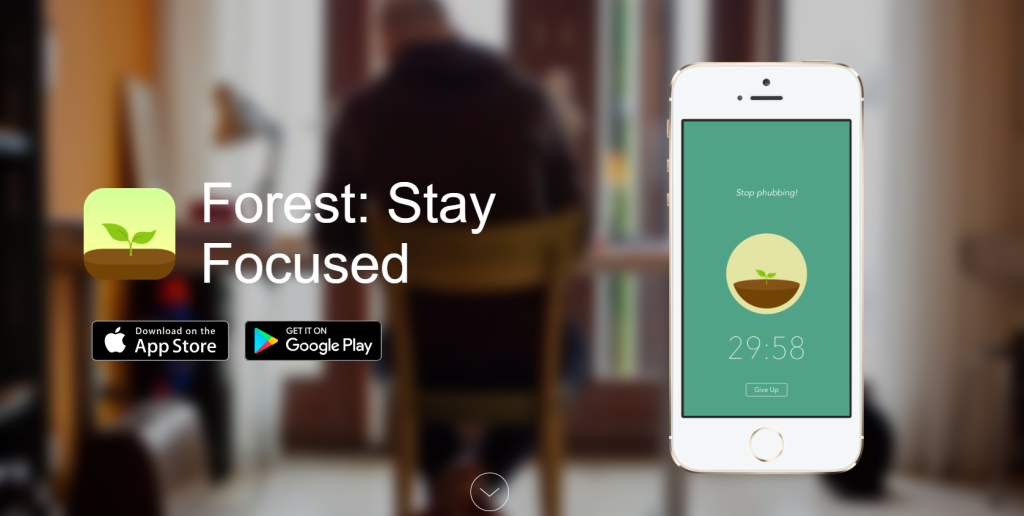
Gamifies productivity by growing virtual trees during focus sessions
Forest is a productivity app that gamifies the task of staying focused. By planting virtual trees during focus sessions, Forest motivates users to concentrate on their work without succumbing to distractions, especially from their phones.
Keeps the focus experience simple and motivating
The app’s simple interface keeps the focus experience smooth and engaging.
Compared to other focus timers like Focus To-Do, Forest stands out by incorporating a unique approach to productivity. Instead of just tracking time, Forest visually represents the user’s focus time by growing virtual trees. This visual representation serves as a tangible reminder of the user’s productivity efforts.
Encourages users to stay away from phone distractions
One of Forest’s key strengths is its ability to help users combat phone distractions. The app encourages users to set a timer and refrain from using their phones during the designated focus period. If the user exits the app to check their phone, the virtual tree stops growing or even dies, reinforcing the importance of staying focused.
In the battle between Forest and Focus To-Do, Forest’s gamified approach to productivity shines. By turning focus sessions into a fun and rewarding experience, Forest effectively motivates users to stay on track with their tasks. If you’re looking for a focus timer that not only keeps you on schedule but also makes the process enjoyable, Forest may be the perfect choice for you.
Focus To-Do:
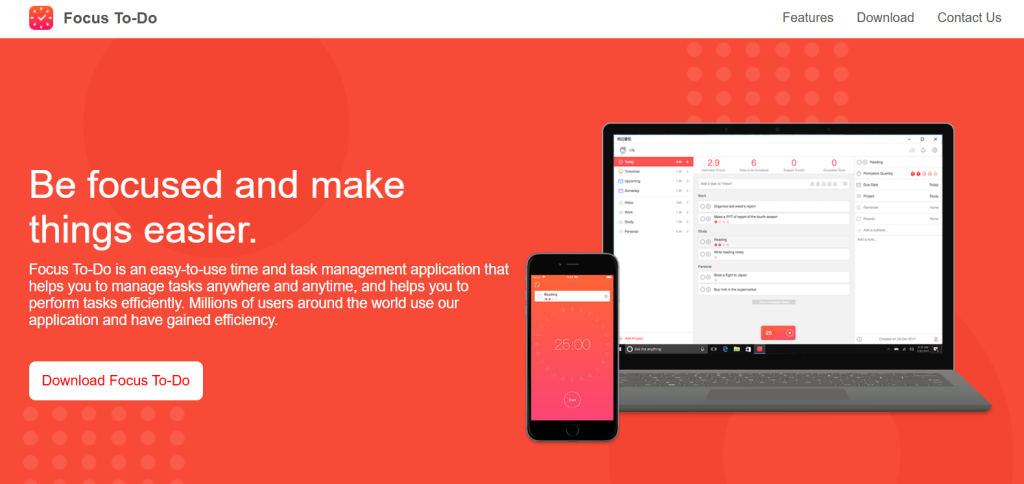
When it comes to enhancing productivity and staying focused, two popular tools that come to mind are Forest and Focus To-Do. Both of these apps offer unique features tailored to help individuals boost their efficiency and manage their tasks effectively.
Combines Pomodoro timer with task lists
Focus To-Do, as the name suggests, combines the renowned Pomodoro timer technique with task lists, providing users with a comprehensive tool to structure their work sessions. By breaking down work into manageable intervals, users can maintain high levels of concentration while incorporating short breaks to improve overall productivity.
Organizes work into projects and subtasks
Moreover, Focus To-Do allows users to organize their tasks into projects and subtasks, enabling a more systematic approach to task management. This feature is particularly useful for individuals juggling multiple projects simultaneously, as it helps in maintaining clarity and focus by categorizing tasks based on their priority and deadlines.
Tracks completed focus sessions and productivity
One of the standout features of Focus To-Do is its ability to track completed focus sessions and productivity levels. This tracking mechanism not only provides users with valuable insights into their work habits but also serves as a motivating factor to stay consistent and improve productivity over time.
Ultimately, the choice between Forest and Focus To-Do boils down to personal preferences and work styles. Individuals who prefer a structured approach to task management and value detailed analytics may find Focus To-Do more suitable for their needs. On the other hand, those who respond well to gamification and visual motivators may opt for Forest to enhance their focus and productivity.
In conclusion, both Forest and Focus To-Do offer distinctive features that cater to different preferences and work styles. By understanding your own work habits and productivity needs, you can choose the focus timer that aligns best with your goals and helps you make the most of your time.
Key Differences Between Forest and Focus To-Do:
1. Focus Approach:
When deciding between Forest and Focus To-Do as your focus timer, it’s essential to understand their unique approaches. Forest focuses on motivation through gamification, appealing to users who thrive on visual reinforcement. On the other hand, Focus To-Do emphasizes structured task productivity, catering to individuals who prefer a more organized approach to time management.
Forest focuses on motivation through gamification
With Forest, users plant virtual trees that grow as they stay focused on their tasks. This visual representation of progress can be highly motivating for those who enjoy gamified incentives. The app’s playful nature can turn mundane tasks into a more engaging experience, making it easier to stay on track.
Focus To-Do focuses on structured task productivity
In contrast, Focus To-Do provides a structured system for task management, allowing users to create to-do lists, set timers for focused work sessions, and track their productivity. This methodical approach appeals to users who thrive on clear objectives and tangible goals, helping them stay disciplined and efficient throughout their workday.
Ultimately, the choice between Forest and Focus To-Do boils down to personal preference and work style. If you find motivation in gamified rewards and visual progress tracking, Forest may be the ideal focus timer for you. However, if you prefer a more systematic and organized approach to task management, Focus To-Do could better suit your productivity needs. Experiment with both apps to see which one aligns best with your focus and workflow requirements.
2. Task Management:
Forest and Focus To-Do are both popular tools in the realm of focus timers and task management.
Forest offers minimal task tracking
When it comes to task management, Forest offers minimal task tracking capabilities. Users can plant virtual trees to stay focused, but the app’s primary focus is on enhancing concentration rather than full-fledged task organization.
Focus To-Do includes full task and project management
On the other hand, Focus To-Do stands out with its comprehensive task and project management features. Users can create detailed task lists, set priorities, assign deadlines, and even categorize tasks into different projects. This makes Focus To-Do a versatile tool not only for boosting productivity through focus timers but also for effectively managing tasks and projects.
While Forest’s minimalist approach may appeal to those looking for a simple way to stay focused, users with more complex task management needs may find Focus To-Do to be a better fit. With its robust set of features, Focus To-Do provides a one-stop solution for both enhancing focus and staying organized with tasks and projects.
Ultimately, the choice between Forest and Focus To-Do boils down to individual preferences and the specific requirements of each user. Whether you prefer a straightforward focus timer with minimal task tracking or a comprehensive task management tool, both Forest and Focus To-Do offer unique benefits to help you boost productivity and stay on top of your tasks.
3. Progress Tracking:
When it comes to tracking progress and boosting productivity, tools like Forest and Focus To-Do play a crucial role in helping individuals stay focused and achieve their goals efficiently.
Forest visualizes progress with tree growth
Forest stands out by visualizing progress through tree growth, where users plant virtual trees that grow as they stay focused and avoid distractions. This unique approach not only encourages productivity but also adds a fun and engaging element to the process.
Focus To-Do provides productivity statistics and reports
On the other hand, Focus To-Do takes productivity tracking to the next level by providing detailed statistics and reports. Users can analyze their productivity patterns, identify areas for improvement, and make informed decisions to enhance their workflow.
Both Forest and Focus To-Do offer valuable features that cater to different preferences and work styles. While Forest appeals to visual learners and those who thrive on gamification, Focus To-Do caters to users who prefer data-driven insights and analytics to optimize their productivity.
In conclusion, the choice between Forest and Focus To-Do ultimately depends on individual preferences and needs. Whether you prefer a visually stimulating progress tracker like Forest or a data-centric productivity tool like Focus To-Do, both options offer effective ways to enhance focus and productivity in your daily tasks.
4. Platform Availability:
When considering which focus timer to use between Forest and Focus To-Do, one crucial aspect to look at is platform availability.
Forest supports mobile devices and browser extensions
Forest stands out with its support for mobile devices and browser extensions. This means you can seamlessly integrate this focus timer into your daily routine, whether you’re on the go with your smartphone or working on tasks through your browser. The convenience of having access to Forest across different platforms enhances its usability.
Focus To-Do supports mobile and desktop platforms
On the other hand, Focus To-Do caters to users across mobile and desktop platforms. This versatility allows individuals to manage their focus and productivity both on the move and at their workstations. By offering support for multiple platforms, Focus To-Do ensures that users can maintain their focus regardless of their device.
Comparing the two, Forest excels in mobile devices and browser extensions, while Focus To-Do provides a comprehensive solution for both mobile and desktop platforms. Your choice between these focus timers may come down to your preferred devices and how you like to manage your focus throughout the day.
When Forest Is the Better Choice:
When you want a fun and motivating focus system
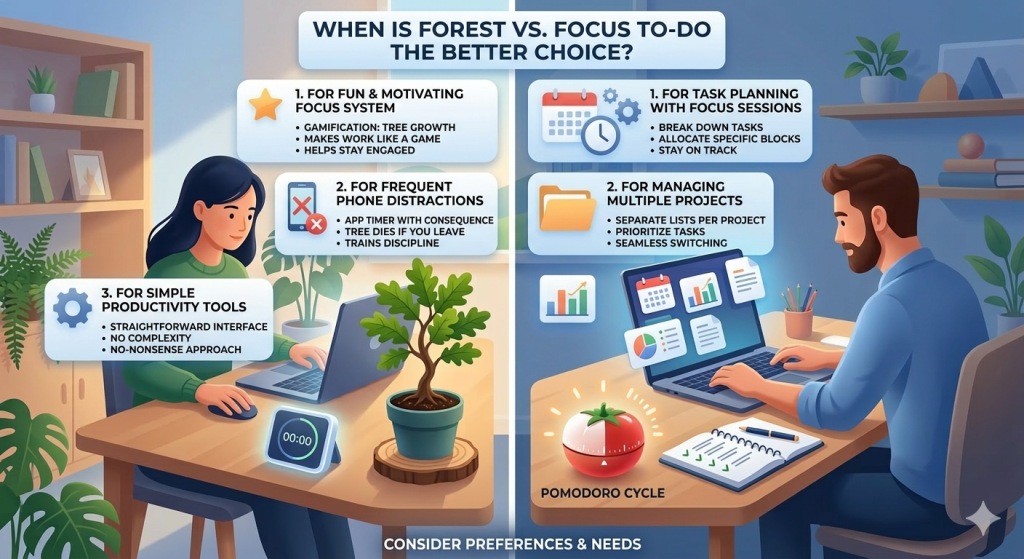
Forest is the better choice when you want a fun and motivating focus system. Its unique approach of growing a virtual tree as you focus on your tasks can be a refreshing change from traditional productivity tools. The element of gamification in Forest can make your work feel more like a game, which can be particularly helpful if you struggle with staying focused.
When you get distracted by your phone often
If you find yourself getting distracted by your phone often, Forest can be a savior. By setting a timer and growing a tree that will die if you leave the app, it adds a tangible consequence to your actions, making it harder to give in to distractions. This can be a powerful way to train yourself to be more disciplined and mindful of how you spend your time, focus on moving checklist.
When you prefer simple productivity tools
For those who prefer simple productivity tools, Forest’s straightforward interface and easy-to-use features make it a great choice. Its focus is on helping you concentrate on your tasks without overwhelming you with unnecessary complexities. If you’re looking for a no-nonsense approach to managing your time and boosting your productivity, Forest ticks all the boxes.
In conclusion, when it comes to choosing between Forest and other focus timers, consider your preferences and needs. If you value a fun and motivating system, struggle with phone distractions, or prefer simplicity in your tools, Forest could be the perfect fit for you.
When Focus To-Do Is the Better Choice:
When it comes to choosing the right focus timer for your productivity needs, Focus To-Do stands out in several key scenarios.
You want task planning with focus sessions
If you find yourself needing structured task planning intertwined with focused work sessions, Focus To-Do is the better choice for you. This app allows you to break down your tasks into manageable chunks and allocate specific time blocks to concentrate on each task fully. By incorporating focus sessions into your workflow, you can enhance your productivity and ensure that you stay on track with your goals.
When you manage multiple projects
Moreover, if you are someone who juggles multiple projects simultaneously, Focus To-Do can be a game-changer. The app lets you create separate lists for each project, making it easier to prioritize tasks and allocate time for each project without feeling overwhelmed. With the ability to switch between projects seamlessly, you can maintain your focus and ensure that nothing falls through the cracks.
When you prefer detailed productivity tracking
Detailed productivity tracking is another area where Focus To-Do shines. Unlike other focus timers, Focus To-Do offers in-depth insights into your productivity levels, allowing you to monitor your progress, identify patterns, and make necessary adjustments to improve your efficiency. By keeping a close eye on your productivity metrics, you can optimize your workflow and achieve better results in the long run.
In conclusion, when you need a focus timer that combines task planning with focus sessions, caters to managing multiple projects, and provides detailed productivity tracking, Focus To-Do emerges as the superior choice. Its user-friendly interface, customizable features, and comprehensive analytics make it a valuable tool for boosting your productivity and achieving your goals effectively.
Pros and Cons
Forest:
When comparing Forest and Focus To-Do, it’s essential to consider their design, motivation techniques, and task planning features.
Simple and engaging design
Forest boasts a simple and engaging design that appeals to users aiming to boost productivity. Its visually pleasing interface creates a calming environment, perfect for focusing on tasks without distractions.
Strong motivation through gamification
In terms of motivation, Forest excels through gamification. Users plant virtual trees when concentrating on their work, and if they get distracted and leave the app, the tree dies. This technique effectively encourages users to stay focused and resist the temptation to switch tasks.
Limited task planning features
However, Forest does have limited task planning features compared to Focus To-Do. While it offers a basic task list, the app lacks advanced planning options like prioritization, categorization, or subtasks.
In contrast, Focus To-Do provides users with more comprehensive task planning tools, allowing for better organization and management of tasks. Its detailed task lists enable users to break down projects into smaller subtasks, set priorities, and allocate time effectively.
In conclusion, while Forest offers a visually appealing and engaging design with strong motivation through gamification, its task planning features are somewhat limited. On the other hand, Focus To-Do provides more robust task planning capabilities for users who require detailed organization and planning in their productivity tools.
Focus To-Do:
When comparing focus timers like Forest and Focus To-Do, it’s essential to consider their unique features and functionalities.
Combines timer and task manager
Focus To-Do stands out by combining a timer and task manager into one platform, offering users a comprehensive tool to enhance productivity. This integration allows users to track their tasks while staying focused on completing them within set time frames.
Provides productivity insights
One of the key advantages of Focus To-Do is its ability to provide productivity insights. By analyzing task completion times and patterns, users can gain valuable information about their work habits and efficiency. This feature enables users to make informed decisions about how to better manage their time and tasks effectively.
The interface may feel slightly more complex
However, some users may find that the interface of Focus To-Do is slightly more complex compared to other focus timers. While the platform offers a range of features and customization options, the layout may require some time to navigate comfortably. Despite this potential learning curve, many users appreciate the depth of functionality that Focus To-Do provides.
In conclusion, when deciding between Forest and Focus To-Do, users should consider their specific needs and preferences. Focus To-Do offers a robust set of features that can benefit users looking for a comprehensive focus timer and task management solution. By weighing the pros and cons of each platform, users can determine which focus timer best aligns with their workflow and productivity goals.
Conclusion:
When it comes to enhancing productivity and building healthy habits, choosing the right focus timer can make a significant difference. In the comparison between Forest and Focus To-Do, it’s essential to understand their unique benefits to determine which one aligns better with your preferences and workflow.
Forest is best for motivation and habit-building
Forest, known for its motivational approach, leverages the concept of planting virtual trees that grow when you stay focused. This visual representation of progress can be highly motivating for individuals seeking to build and maintain their focus over time. The gamified experience of seeing your productivity bloom with each focused session can be a powerful motivator for habit building.
Focus To-Do is better for structured productivity
On the other hand, Focus To-Do shines in providing a structured approach to productivity. With features like task lists, pomodoro timers, and detailed progress tracking, it offers a more systematic way to manage your tasks and time. For users who thrive on organization and clear task prioritization, Focus To-Do can be a valuable tool for methodically enhancing productivity.
The right choice depends on how you prefer to stay focused
The choice between Forest and Focus To-Do ultimately depends on how you prefer to stay focused. If you find motivation through visual cues and gamified progress, Forest may be the ideal fit for your habit-building journey. However, if you thrive on structured workflows and detailed task management, Focus To-Do could be a better option to enhance your productivity levels effectively.
By understanding your personal preferences and work style, you can make an informed decision on whether Forest or Focus To-Do is the focus timer that best suits your needs. Both tools offer valuable features to support your focus and productivity goals, so choosing the right one boils down to what resonates most with your working style and motivates you to stay on track.
Frequently Asked Questions
The main difference lies in their approach to productivity. Forest focuses on growing a virtual tree as you work, while Focus To-Do uses a countdown timer to track your work sessions.
Both apps are designed to improve focus, but some users find the visual element of Forest more engaging, while others prefer the simplicity of Focus To-Do’s timer.
Yes, both apps allow users to set custom work intervals based on their preferences and work habits. This flexibility ensures that you can adjust the timers to suit your productivity needs.
Yes, both apps provide additional features such as task lists, goal setting, and progress tracking. These features help users stay organized and motivated while working towards their goals.
Yes, both apps are compatible with various devices, including smartphones, tablets, and desktop computers. This multi-device support ensures that you can access your productivity tools wherever you are.
Yes, both apps offer offline functionality, allowing you to stay focused even without an internet connection. This feature is particularly useful for users who prefer to work without distractions.
Both apps offer free versions with basic features, but they also have subscription options that unlock additional functionalities. Users can choose the plan that best suits their needs and budget.
Yes, many users have shared positive reviews and testimonials about their experiences with both apps. These firsthand accounts can help you decide which app aligns better with your productivity goals and preferences.