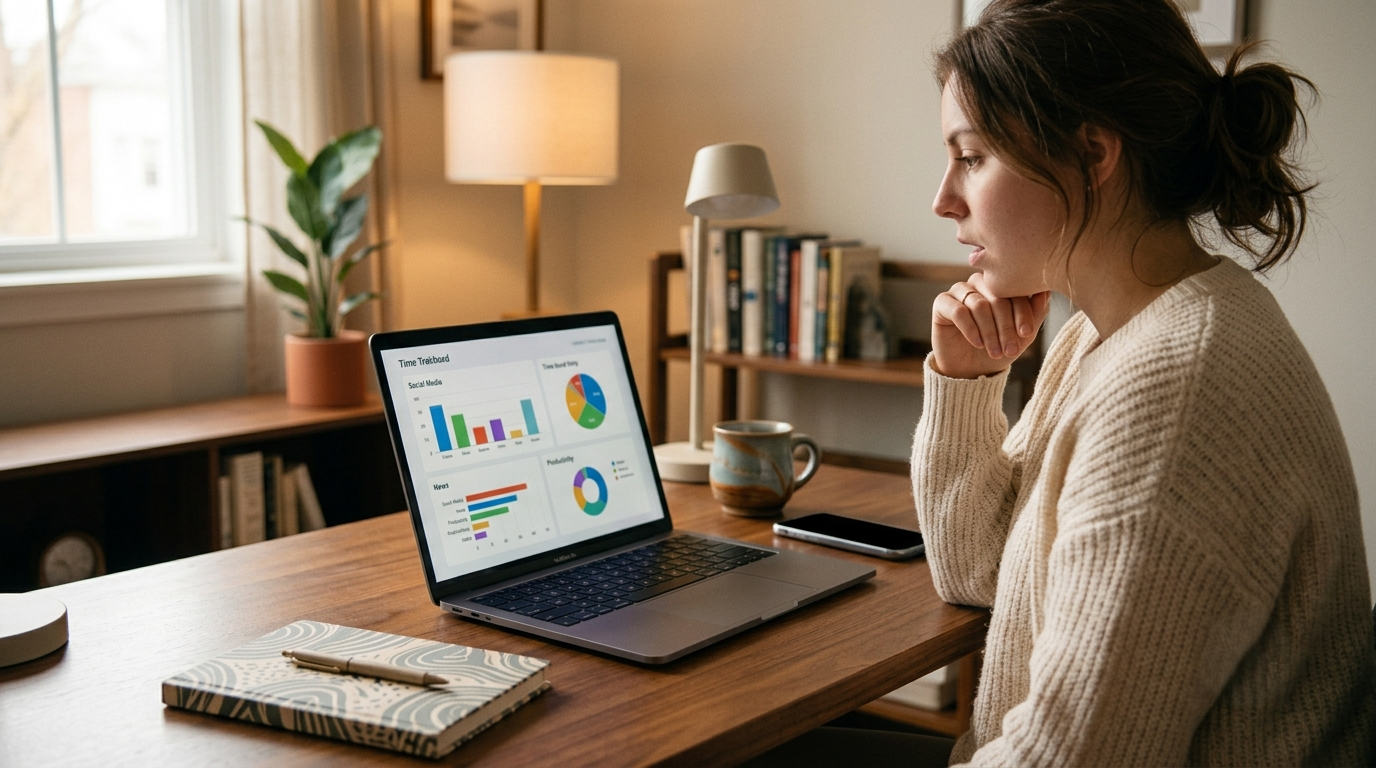
Imagine having a personal assistant who gently nudges you every time you veer off course, steering you back to your goals with unwavering precision. In many ways, these tools function as intelligent personal assistants for your attention, not scheduling meetings or answering emails, but quietly managing the conditions under which your best thinking happens. The realm of AI productivity tools is rapidly evolving, offering us just that: a virtual ally in the battle against procrastination. In a world brimming with distractions, staying focused can feel like trying to catch lightning in a bottle. Whether it’s an endless scroll through social media or getting lost in the depths of irrelevant web pages, our attention seems to have a mind of its own. But what if there were AI tools specifically designed to detect those moments when your productivity wanes and guide you back on track?
As technology becomes more sophisticated, AI productivity tools are learning to “understand” our work habits and intervene at just the right moments. Picture this: you’re working on an important project, yet find yourself repeatedly checking your email inbox for no apparent reason. Suddenly, an AI tool steps in, subtly alerting you to your sidetracked behavior and offering suggestions to refocus your energy. These innovative solutions are not just about blocking distractions; they’re about recognizing patterns and helping you cultivate mindfulness in your work routine. With such advancements, the dream of optimizing our workflow and maximizing efficiency is more accessible than ever before.
The Problem: Procrastination Happens Before You Notice
Small distractions slowly turn into lost hours
Procrastination rarely begins with a deliberate decision to avoid work. Instead, it often starts with something small, checking a message, reading a quick article, or opening social media for “just a minute.” These tiny distractions feel harmless in the moment, but they can quickly add up. Behavioral research shows that procrastination often develops through small avoidance behaviors rather than conscious decisions.
A five-minute break can quietly turn into thirty minutes of scrolling, and before you realize it, a significant portion of your workday has disappeared. Because these distractions happen gradually, many people don’t notice the shift until they look back and realize how much time has been lost.
Why traditional productivity apps miss the real problem
Most traditional productivity tools focus on simple metrics like time tracking, task lists, or timers. While these tools are helpful, they often rely on users to manually monitor their behavior. If you forget to start a timer or categorize your activity correctly, the insights they provide can be limited.
More importantly, these apps usually react after procrastination has already happened. They show you how time was spent, but they rarely intervene in the moment when your attention begins to drift, as discussed in many AI tools review articles.
The role of AI in detecting behavior patterns
Artificial intelligence changes this approach by analyzing patterns in how you work. The underlying technology varies by tool, but most use machine learning models trained on aggregated behavioral data, pattern recognition that improves the more it observes your individual work habits. Some platforms also use predictive algorithms to anticipate when focus is likely to drop based on time-of-day patterns, rather than waiting for distraction to appear first.
Instead of simply tracking time, AI-powered productivity tools study your behavior, how long you stay on certain websites, how often you switch tasks, and when your focus typically drops. For businesses and professionals, improving productivity also goes hand in hand with building a strong online presence through digital marketing services.
Over time, these tools learn your habits and can detect early signs of procrastination. When unusual patterns appear, such as prolonged browsing during work hours or frequent app switching, the AI recognizes that your attention is slipping and can respond immediately. Professionals who want to understand how these AI systems are developed can follow the AI Engineer learning path, which covers the fundamentals and practical applications of artificial intelligence.
When AI Notices You’re Drifting Away from Work
Usage pattern detection
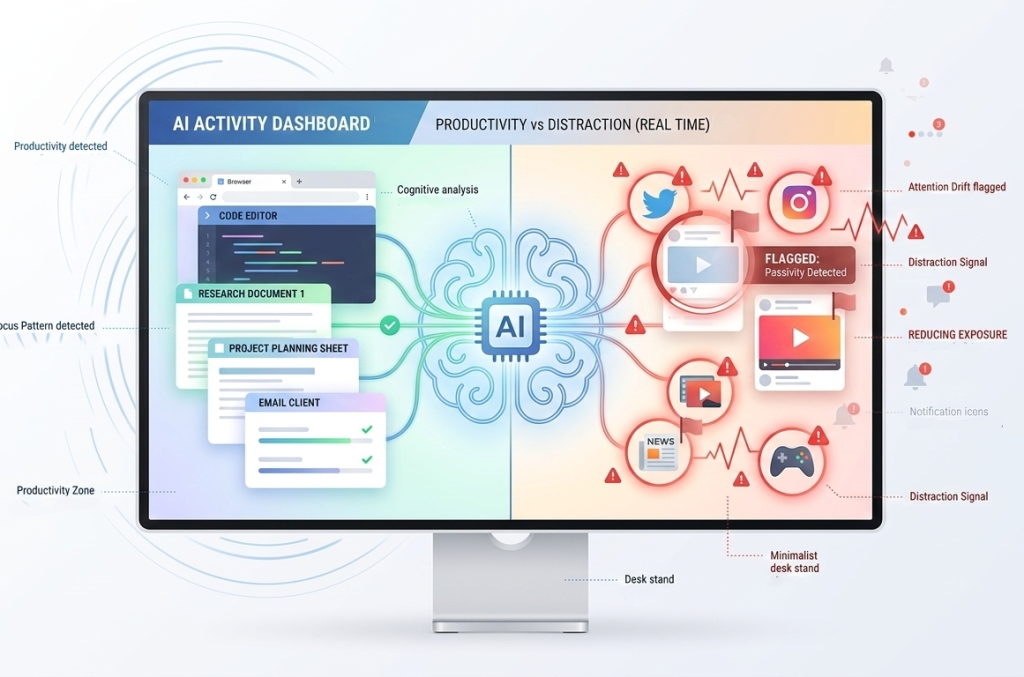
AI productivity tools continuously monitor how you interact with your computer or schedule. They track which applications you use, how long you spend on each task, and how frequently you switch between activities.
By comparing this behavior to your usual work patterns, the AI can detect when something is off. For example, if you normally spend long periods writing or coding but suddenly start jumping between unrelated tabs, the system may recognize that your concentration has been disrupted. Choosing the right AI agent depends on multiple factors: deployment speed, integration depth, multilingual needs, and compliance requirements. Here’s a high-level comparison to guide your decision.
Productivity vs distraction classification
One of the most useful features of AI-based tools is their ability to classify activities as productive or distracting. Instead of treating all digital activity equally, these tools categorize apps and websites based on their relevance to your work.
For example, working on documents or project management software may be marked as productive time, while extended time on entertainment websites or social media may be flagged as a distraction. This classification helps the AI understand when you are genuinely working versus when you might be procrastinating.
Real-time alerts and interventions
Once the AI identifies a drop in productivity, it can intervene immediately. Some tools send gentle reminders that you’ve been off-task for a while. Others automatically adjust your schedule or temporarily block distracting websites.
These real-time responses, designed by AI developers, help interrupt procrastination before it grows into a much bigger time drain. Instead of discovering the problem hours later, you get an immediate signal that it may be time to refocus.
AI Tools That Step In When Focus Drops
RescueTime – Recognizes when work time turns into browsing time
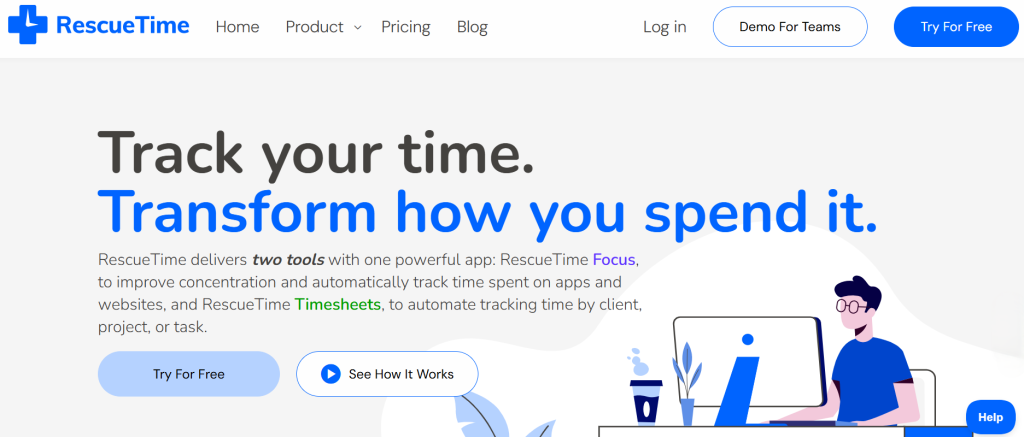
RescueTime is one of the best-known productivity-monitoring tools. As a productivity software platform, it integrates with tools like Slack, Asana, and Google Calendar, meaning your tracked work data can be connected to your existing project management workflow rather than sitting in isolation. It runs quietly in the background and tracks how you spend time across websites, applications, and tasks.
The platform automatically categorizes activities as productive or distracting. If it detects that your browsing habits are shifting away from work, it can send alerts or activate “Focus Sessions” that block distracting websites for a set period.
Over time, RescueTime builds a detailed picture of your work habits, helping you understand when you are most productive and when procrastination tends to appear.
Motion – Automatically reorganizes tasks when delays appear
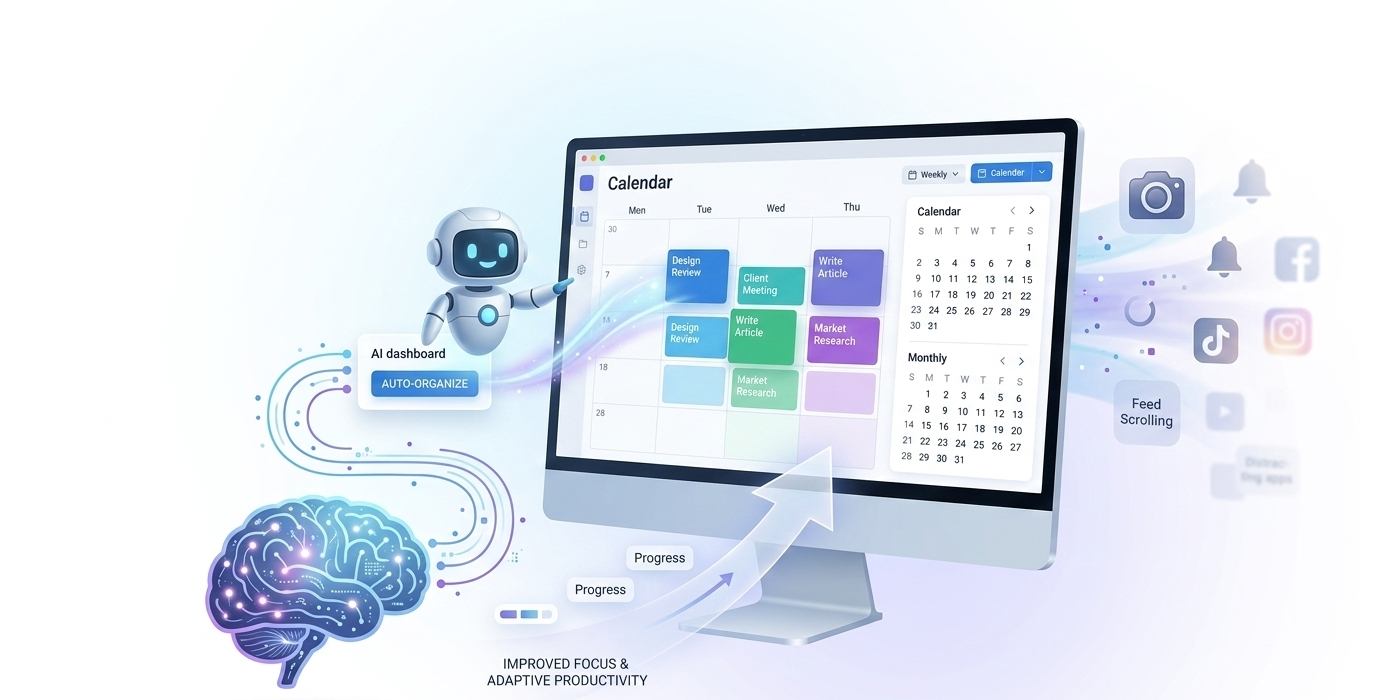
Motion approaches productivity from a scheduling perspective. It functions as an AI-powered task management and calendar platform, replacing the need for separate to-do apps, scheduling tools, and a time blocker by combining all three into one adaptive productivity system.
Instead of just tracking what you do, it uses AI to manage your calendar and tasks dynamically.
If you delay a task or spend longer than expected on something else, Motion automatically reorganizes your schedule. It adjusts deadlines, moves tasks to new time slots, and protects focus blocks so that important work still gets completed.
This proactive scheduling helps prevent small delays from snowballing into missed deadlines.
Reclaim.ai – Protects deep work when your schedule becomes chaotic
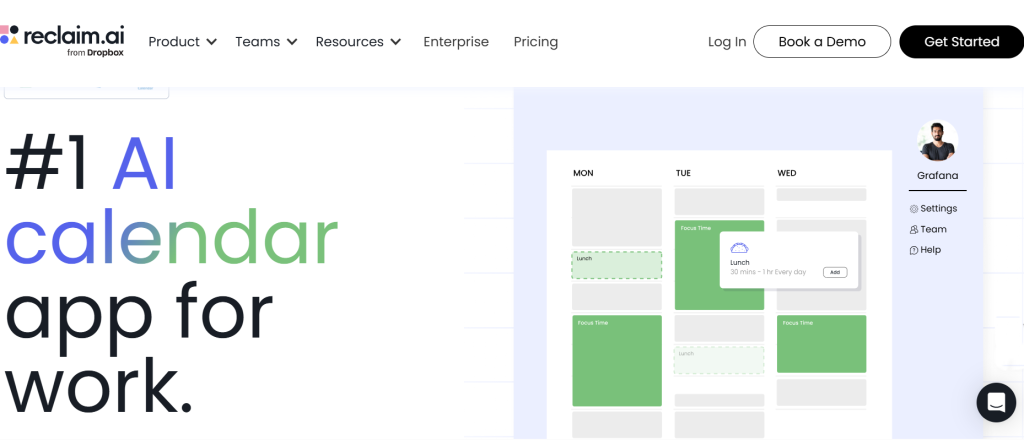
Reclaim.ai focuses on maintaining a balance between meetings, tasks, and focused work. Many professionals struggle because their calendars become overloaded with meetings that leave little time for deep thinking.
Reclaim.ai analyzes your schedule and automatically creates protected time blocks for focused work. If meetings begin to crowd your day, the system can move less urgent tasks or suggest better scheduling patterns to preserve productivity.
By protecting these focus windows, the tool reduces the likelihood that scattered scheduling will lead to procrastination.
Serene – Forces structured focus sessions when distractions increase
Serene is designed to enforce disciplined work sessions. Instead of just monitoring behavior, it encourages users to structure their day around focused work intervals.
When you start a session, Serene blocks distracting apps and websites, helping you stay committed to a single task. It also encourages goal setting for each session, which makes it easier to maintain clarity about what needs to be accomplished.
This structured approach can be particularly useful for people who struggle with frequent interruptions or digital distractions.
What Makes These Tools Different from Normal Focus Apps
They learn from your behavior over time
Traditional focus tools usually apply fixed rules, such as blocking certain websites or running timers. AI productivity tools go further by learning from your behavior. They observe how you work, identify patterns, and refine their suggestions based on your habits.
This personalized approach means the system becomes more accurate the longer you use it, offering insights that can even help inform decisions about when and how to hire dedicated developers for complex, long-term projects requiring sustained focus.
They react dynamically instead of using fixed limits
Many traditional productivity apps require you to set manual limits—for example, blocking social media after a certain amount of time. AI tools can respond dynamically instead.
If they notice a sudden drop in productivity or an unusual pattern of distractions, they can react instantly by adjusting schedules, sending alerts, or activating focus modes.
They combine tracking, scheduling, and blocking
Another key difference is that AI productivity platforms often combine several functions in one place. Instead of using separate apps for time tracking, scheduling, and distraction blocking, these tools integrate all three.
This holistic approach allows the AI to make smarter decisions about how to protect your time and attention.
When AI Productivity Tools Work Best
Remote workers with flexible schedules
Remote work offers freedom, but it also comes with new challenges. Without a structured office environment, it can be easier for distractions to creep into the workday. For managers overseeing remote teams, these tools also provide a framework for building accountability into distributed workflows, not by monitoring employees, but by helping individuals self-manage their output and communicate more accurately about capacity and focus time. AI productivity tools help remote workers maintain structure and accountability, even in fast-paced industries followed by celebrities and content creators.
Freelancers managing multiple projects
Freelancers often juggle multiple deadlines, clients, and tasks simultaneously. AI scheduling and monitoring tools can help manage this complexity by automatically organizing tasks and protecting time for deep work.
People who struggle with self-monitoring
Some individuals find it difficult to notice when they are losing focus. AI tools act as a kind of external observer, identifying patterns and offering reminders that help bring attention back to important tasks.
The Real Goal: Awareness, Not Just Control
AI can highlight patterns you miss
One of the biggest benefits of AI productivity tools is the insight they provide. By analyzing your habits over time, these tools can reveal patterns you might never notice on your own, such as certain times of day when you are most productive or common triggers for distraction.
The real change still comes from habits
While AI can help identify and reduce procrastination, it cannot replace personal discipline. Lasting productivity improvements come from building better habits, setting clear goals, and managing your time intentionally.
Use AI as a mirror for your productivity
Rather than relying on AI to control every aspect of your workflow, it is best to treat these tools as mirrors that reflect your behavior. They show you where your attention goes and where it might be slipping, encouraging mindful browsing and greater awareness of your habits.
With that awareness, you can make smarter decisions about how to structure your day and maintain focus. If you’re not sure where to start, the simplest approach is to install RescueTime’s free tier for one week without changing any behavior; just observe the report at the end of the week and let that data tell you which tool to try next.
Quick comparison: which tool is right for you?
- RescueTime –
Best for: understanding where your time actually goes. Ideal if you want passive monitoring with detailed reports before making any behavioral changes. Free tier available; premium unlocks focus sessions and alerts. - Motion –
Best for: professionals with heavy task loads and shifting deadlines. If your procrastination stems from calendar chaos rather than distraction, Motion’s dynamic scheduling is the stronger fit. Paid only. - Reclaim.ai –
Best for: protecting deep work in a meeting-heavy calendar. Best value for remote workers whose focus time gets eaten by collaborative scheduling. Free tier covers basic habits and tasks. - Serene –
Best for: structured session-based workers who need firm commitment devices. If you respond well to timed sprints and explicit, per-session goal-setting, Serene is the most disciplined option. Mac only.
FAQs
AI tools don’t directly know when you are procrastinating, but they analyze patterns like app usage, tab switching, and time spent on tasks.
Most tools track activity data such as app usage and time spent on websites. However, reputable platforms usually provide privacy controls and clear policies about how your data is stored and used.
Yes, many students use AI productivity tools to manage study schedules and reduce distractions.
AI tools should be used as support rather than a replacement for self-discipline. They can highlight distractions and provide reminders, but maintaining focus still depends on your habits.