Unpluq makes a bold claim. According to its own FAQ, people who use the physical Unpluq Tag win back about 78 minutes a day, compared with 54 minutes for people using the app alone. That’s company data, not an independent study, so treat it as a starting point.
The more useful question is simpler. Does carrying a little key on your keyring actually stop you from opening Instagram at midnight?
The short answer: it helps, but not in the way most people expect. Unpluq’s key is optional by design. There are backup ways in, and that shapes everything about who this product suits.
This review covers how Unpluq works, what happens when the key isn’t with you, what it costs over two years, and how it stacks up against Brick.
Quick Takeaways
- Unpluq pairs an app with a small NFC tag. Tap the tag to open apps you’ve blocked.
- The tag only works with a paid Premium plan. The free app blocks 2 apps on 1 schedule.
- Without the tag, you can still get in through digital “barriers,” a daily 5-minute Emergency Mode, or a Lost Tag mode.
- Over two years, Unpluq costs roughly $121 to $194. Brick costs $59 once.
- Pick Unpluq for flexible structure. Pick Brick if you need a harder wall.
What Is Unpluq?
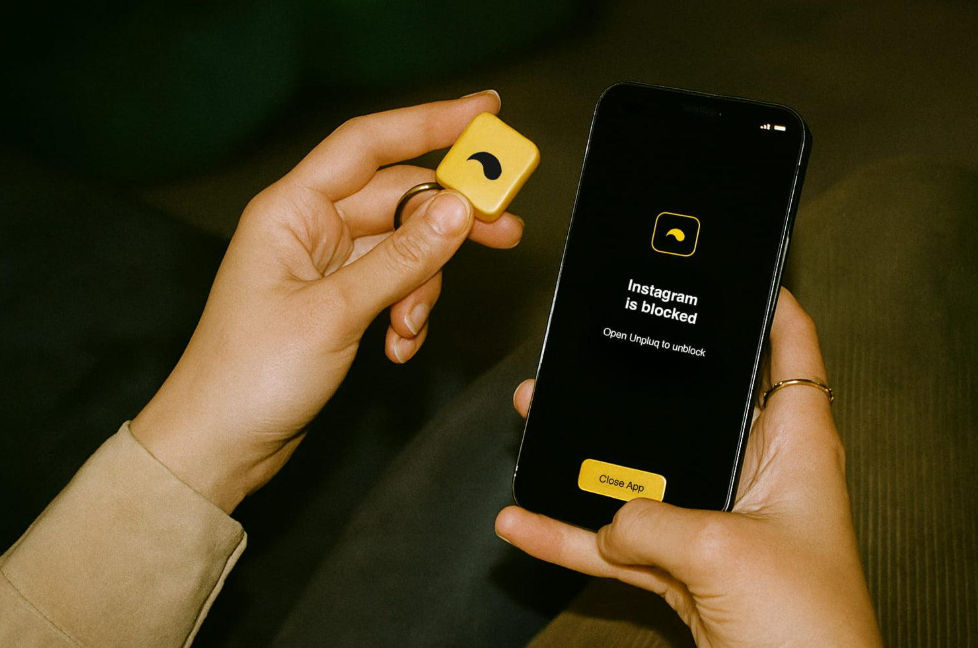
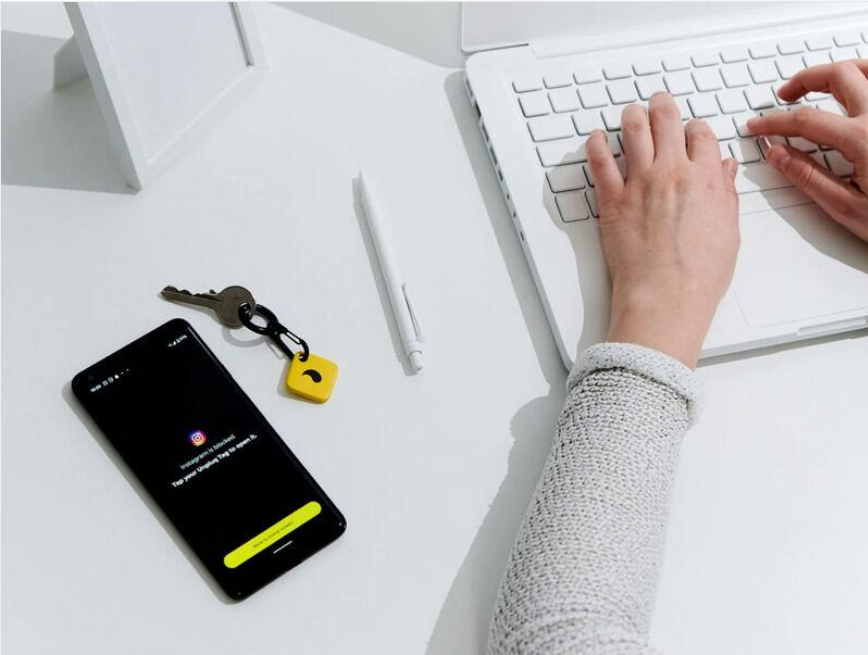
Unpluq is a screen time app from a Dutch company, paired with an optional physical key called the Unpluq Tag. You choose which apps to block and when. During a blocked window, those apps stay shut until you clear a “distraction barrier.”
The Tag is the main barrier. It’s a small silicone NFC tile on a mini carabiner. You hold it to the back of your phone, and your apps open. It needs no battery, because NFC draws power from the phone itself.
The Tag isn’t the only barrier, though. Unpluq also offers digital ones:
- Shake your phone for 5 seconds
- Tap 7 buttons in a row
- Scan a QR code
- Scroll through a screen
- A random pick from the list
- Walk a set distance (Android only)
Unpluq works on iPhones running iOS 16 or later and on Android phones with NFC.
The free version lets you block 2 apps on 1 schedule, with a choice of 2 barriers. It does not support the Tag.
Premium unlocks unlimited schedules, up to 49 blocked apps per schedule, and the full barrier list, including the Tag. One subscription covers one phone and one tablet.
How Unpluq Works Day to Day
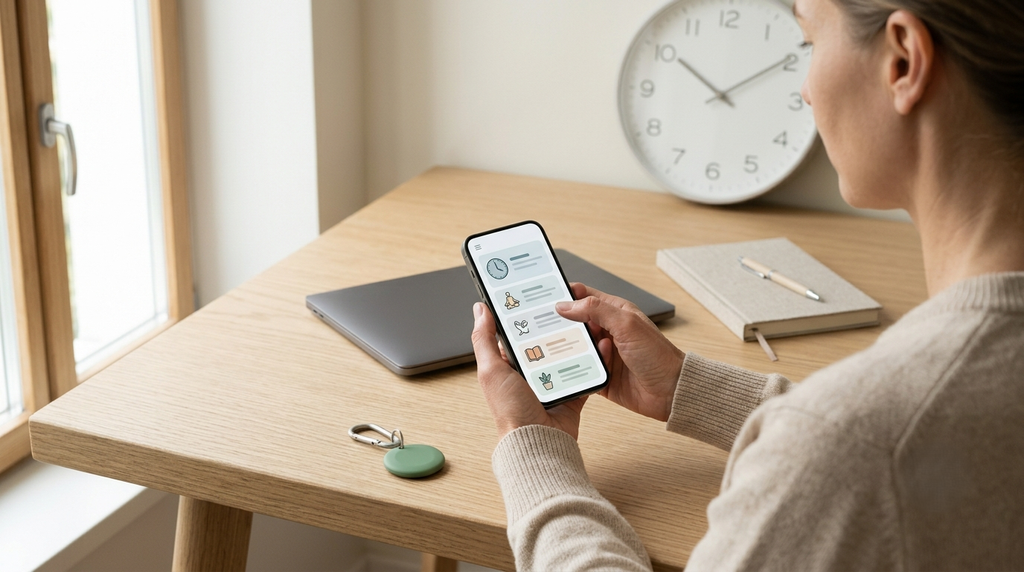
Setup takes a few minutes. You install the app, grant it Screen Time access (iPhone) or the needed permissions (Android), pick your distracting apps, and build a schedule. A common setup is social media blocked from 9 to 6 on weekdays, plus every night after 10.
When you tap a blocked app, you see a block screen. Clear your barrier, and the apps open for a set window. You can change how long that window lasts in the app’s settings.
A few platform quirks are worth knowing:
- iPhone: Apple doesn’t let Unpluq unblock apps straight from the block screen. You open Unpluq (or its widget) first, then use your barrier. It’s one extra step, which arguably adds useful friction.
- iPhone websites: Unpluq can block sites in Safari only. Chrome and other browsers aren’t covered.
- Android: Some phones kill background apps to save battery. If blocking feels patchy, Unpluq’s FAQ says to change your battery settings so it can run in the background. Android website blocking isn’t available yet.
What Happens When the Key Isn’t With You
This is the part most reviews skip, and it’s the one that matters most.
Say you leave the Tag at home and you’re on a train with nothing to do. Unpluq gives you several ways back in:
- Use a digital barrier. If your schedule allows a non-Tag barrier, you can shake, scroll, or scan your way in.
- Emergency Mode. Once per day, you get 5 minutes of full access. During those minutes you can also change your schedule’s barrier. You can switch Emergency Mode off entirely if you want a stricter setup.
- Lost Tag mode. Tell the app your Tag is lost, and your schedules switch to a non-Tag barrier until you find it. You can use this only 5 times over the life of your account.
- Buy a replacement. A Tag on its own costs $26.50.
Compare that with Brick. Brick gives you 5 Emergency Unbricks in total, not per day. Once they’re gone, you fill out a form, and Brick resets them within two business days. Emergency calls always work. We cover the rest in our full Brick review.
So the difference is clear. Brick assumes you’ll cheat and makes leaving the key behind expensive. Unpluq assumes life happens and gives you a daily safety valve.
Neither approach is wrong. But if you know you’ll use a daily 5-minute pass every single day, turn Emergency Mode off on day one.
Does the Physical Key Actually Work?
The idea behind it has solid support. In a study published in PNAS, researchers tested a self-nudge app that added a short wait before a chosen app opened. Over six weeks, app openings fell by 57%. The waiting time drove the effect. A reflective message on its own did not.
That finding helps explain Unpluq. The Tag works best as a distance barrier. Leave it in a drawer across the room, and every urge costs you a short walk. Many urges fade before you get there. Shake and scroll barriers work on the same principle, just with less effort.
The weak spot is that every exit is close by. On iPhone, anyone can go into Settings and switch off Unpluq’s Screen Time permission. Unpluq knows this and offers a shortcut that blocks the Settings app, but you have to set it up yourself. Add Emergency Mode and Lost Tag mode, and a determined person can always find a way in.
For many people, that’s fine. The goal isn’t a prison. It’s a pause long enough to ask, “Do I actually want this right now?” That’s the same idea behind ComfortZoneCheckin, which adds a short check-in at the moment you drift.
So, does the key work? Yes, if you keep it out of reach and close the obvious exits. No, if you clip it to your keys and keep Emergency Mode on.
Unpluq Pricing: The Real Cost Over 2 Years
Unpluq’s pricing is confusing, partly because you can buy in several places. Here’s what we found in October 2026:
- Tag only: $26.50 on the Unpluq site. It does nothing without Premium.
- Premium on Unpluq’s site: sold in 3, 6 and 12-month terms, with or without a Tag. The subscription page starts at $29. Unpluq’s FAQ describes Premium as about 13 cents a day.
- Premium in the US App Store: listed at $6.99 a month or $59.99 a year as of late September 2026.
Here’s how that adds up over two years, next to Brick:
| Option | Year 1 | Year 2 | 2-year total |
| Unpluq: Tag + Premium at ~13¢/day | ~$74 | ~$47 | ~$121 |
| Unpluq: Tag + App Store yearly | $86.49 | $59.99 | $146.48 |
| Unpluq: Tag + App Store monthly | $110.38 | $83.88 | $194.26 |
| Brick | $59 | $0 | $59 |
Website bundles and student or family discounts can lower the Unpluq numbers, and prices vary by country. Check the checkout total before you buy. Unpluq offers a 30-day money-back guarantee if it doesn’t suit you.
The pattern holds either way. Unpluq costs about two to three times more than Brick over two years.
Unpluq vs. Brick: Side-by-Side
| Feature | Unpluq | Brick |
| Hardware | Small NFC tag on a carabiner | Small square NFC puck |
| Upfront cost | $26.50 tag (plus Premium) | $59 |
| Subscription | Required for the Tag | None |
| 2-year cost | ~$121 to $194 | $59 |
| Ways in without the key | Digital barriers, daily Emergency Mode, Lost Tag mode (5 uses) | 5 Emergency Unbricks total (reset by request) |
| Schedules | Yes, unlimited on Premium | Yes |
| Platforms | iPhone (iOS 16+), Android with NFC | iPhone, Android 12+ with NFC |
| Uninstall protection | Block Uninstall setting; Settings shortcut on iPhone | Strict Mode |
| Best for | Flexible routines, fewer lockouts | A firm wall, no recurring cost |
The short version: Brick is stricter and cheaper. Unpluq is more flexible and more forgiving.
Unpluq Pros and Cons
Pros
- Many barrier types, so you can match friction to each schedule.
- Small, portable Tag that clips to a bag or keys.
- Daily Emergency Mode means you’re never stuck without maps or banking.
- Free version is useful for testing the idea with 2 apps.
- 30-day money-back guarantee.
Cons
- The Tag is useless without a paid plan.
- Costs two to three times more than Brick over two years.
- Easy exits (Emergency Mode, iPhone Settings) unless you close them.
- Website blocking is limited to Safari on iPhone.
- Android users may need to fix battery settings for reliable blocking.
Unpluq Alternatives
If Unpluq doesn’t feel right, here are the main paths:
- Brick: the closest match. Same tap-to-unlock idea, no subscription, fewer ways out. Best if you want a harder wall.
- Pause-style apps: some apps add a short breathing pause before a blocked app opens. They use the same friction idea as the PNAS study, with no hardware at all.
- Built-in tools: iPhone Screen Time and Android Digital Wellbeing are free. They’re easy to bypass, but a Screen Time passcode held by someone else makes iPhone limits much firmer.
For a wider look at software options, see our roundup of apps to limit screen time.
Should You Buy Unpluq?
Buy Unpluq if you want structure with some give. It suits people who work odd hours, travel, or rely on their phone for maps and banking, and who’d quit a stricter tool after one bad lockout.
Skip it if you hate subscriptions, or if you already know you’ll use every escape hatch you’re given. In that case, Brick’s one-time price and harder limits are the better fit.
Whichever you choose, the key only works if it isn’t in your pocket. Put it somewhere slightly annoying to reach. That small walk is the whole point.
FAQ
Partly. The free app blocks 2 apps on 1 schedule with 2 digital barriers. The physical Tag, unlimited schedules, and the full barrier list need Premium.
No. Unpluq states the Tag only works with Premium. If your subscription lapses, the Tag stops working as a barrier.
Use Lost Tag mode in the app. It switches your schedules to a digital barrier until you find the Tag. You can use it 5 times per account. A replacement Tag costs $26.50.
It depends on how you slip. Unpluq is better if you need flexibility and schedules with daily emergency access. Brick is better if you want fewer ways out and no subscription.
Unpluq says it doesn’t store or sell your data, and that it usually can’t see it. If you opt in to sharing usage data, the company says it uses that only to fix bugs and improve the app.
Yes, through a separate product called Unpluq Family, which starts at $79.95 on the Unpluq site. It lets a parent manage blocked apps and schedules, and a parent can pause schedules if the child’s Tag goes missing.