

When it comes to boosting productivity, incorporating time management techniques can be a game-changer. Introducing the Pomodoro technique into your workflow can help enhance focus and efficiency. To make the most out of this technique, having the right Pomodoro timer app is crucial. Let’s delve into exploring some of the best Pomodoro timer apps available to help you maximize your productivity.
Introduction to the Pomodoro Technique
Why the Pomodoro technique improves focus and productivity
The Pomodoro technique is a proven method that enhances focus and productivity. By breaking work into intervals, typically 25 minutes long, separated by short breaks, this technique helps individuals maintain high levels of concentration and motivation.
The technique works best when paired with calendar time-blocking. Instead of treating Pomodoro sessions as ad hoc, schedule them as calendar events, assign each block a specific task, and treat it like a meeting you can’t cancel on yourself. This is especially effective for remote workers who control their own calendar: four 25-minute Pomodoros scheduled as a single 2-hour “deep work” block creates the same kind of external accountability that an office environment provides naturally.
How to use the Pomodoro technique (step by step)
Pomodoro timer apps play a crucial role in facilitating the implementation of this technique. These apps not only track your work sessions but also remind you when it’s time to take a break. With customizable settings, users can tailor their work intervals and breaks according to their preferences, making it easier to adhere to the Pomodoro method.
- Step 1: Choose one specific task to work on, not a list, just one.
- Step 2: Set your timer for 25 minutes and commit to nothing else.
- Step 3: Work until the timer rings. If a distraction pops into your head, write it down and return to it later.
- Step 4: Take a 5-minute break. Stand up, stretch, look away from the screen.
- Step 5: After 4 complete rounds, take a longer break of 15 to 30 minutes.
The 25-minute default isn’t magic; Cirillo chose it because it felt manageable. Most apps let you customize the interval, so you can adjust it once you’ve built the habit.
What to look for in a good Pomodoro productivity app
When selecting a Pomodoro productivity app or no-code platform, there are certain features to consider to ensure an effective workflow. Look for apps or no-code platforms that offer task segmentation, allowing you to divide your work into manageable chunks. Additionally, the ability to track your progress and provide insights into your productivity levels can be beneficial in optimizing your workflow.
Integrating a Pomodoro timer app and no-code platforms into your daily routine can significantly boost your productivity. By leveraging these tools, individuals can enhance their focus, manage their time efficiently, and accomplish tasks more effectively.
Pomodoro Timer Apps – A Quick Glance
| App | Core Strength | Best For… | Platforms | Free Plan | Paid From |
|---|---|---|---|---|---|
| Forest | Gamification | Visual motivation & phone distraction | iOS, Android | Yes | $3.99 one-time (iOS) |
| Focus To-Do | Hybrid Management | Structured productivity workflows | iOS, Android, Windows, Mac | Yes | $2.99/month |
| Pomofocus | Simplicity | Minimalists & browser-based users | Web | Yes | Free |
| Session | Deep Work | Professionals & detailed tracking | iOS, Mac | No | $4.99/month |
| TickTick | Project Power | Managing multiple complex tasks | iOS, Android, Web, Windows, Mac | Yes | $2.99/month |
1. Forest
- Best for: Users who enjoy visual motivation and want to reduce phone distractions
- Platforms: iOS, Android
- Free plan: Yes (Android); one-time $3.99 on iOS
- Pros: Genuinely reduces phone pickups; gamified streak system builds habit over time
- Cons: No web version; forest-growing mechanic loses novelty after a few weeks
Gamified focus sessions that grow virtual trees
Forest is a unique Pomodoro timer app that not only helps you stay focused but also adds a fun and interactive twist to your productivity sessions. By growing virtual trees during your focused work periods, Forest gamifies the process and motivates you to avoid distractions.
Encourages staying away from phone distractions
With the increasing prevalence of smartphone addiction and constant notifications pulling our attention away, Forest encourages users to stay away from their phones by rewarding focused work with vibrant virtual trees. This visual representation of your productivity serves as a powerful motivator for those who thrive on visual cues.
Best for users who enjoy visual motivation
The app’s gamified approach to focus sessions turns mundane work hours into an engaging challenge, making it ideal for users who enjoy interactive and visually stimulating tools to boost their productivity.
By incorporating Forest into your daily routine, you not only enhance your focus and time management skills but also cultivate a sense of accomplishment as you watch your virtual forest grow with each productive session.
2. Focus To-Do
- Best for: Structured productivity workflows combining task lists and timed focus
- Platforms: iOS, Android, Windows, Mac
- Free plan: Yes
- Paid from: $2.99/month
- Pros: Task categorization with color labels; detailed session analytics by project
- Cons: Interface feels busier than pure Pomodoro timers; overkill for simple task lists
Combines Pomodoro timer with task management
Focus To-Do is a powerful tool that combines the Pomodoro timer technique with task management, making it a must-have for anyone looking to boost their productivity. By integrating these two features, users can effectively manage their time while staying focused on completing tasks.
Helps organize tasks and track completed sessions
One key feature of Focus To-Do is its ability to help users organize tasks efficiently. With the task management function, users can list all their tasks, set priorities, and allocate time blocks to each task. This helps users stay organized and ensures that no task is overlooked.
In addition to task management, Focus To-Do also allows users to track their completed work sessions. By using the Pomodoro timer, users can break down their work into focused intervals, typically 25 minutes long, followed by short breaks. This technique helps users maintain a high level of concentration and productivity throughout the day.
Best for structured productivity workflows
Focus To-Do is best suited for individuals who thrive on structured productivity workflows. Whether you are a student juggling multiple assignments or a professional managing various projects, this app can help you streamline your workflow and achieve your goals efficiently.
In conclusion, Focus To-Do is a comprehensive tool that seamlessly integrates the Pomodoro timer technique with task management, making it an ideal choice for individuals looking to enhance their productivity.
3. Pomofocus
- Best for: Minimalists who want a no-signup, browser-based timer
- Platforms: Web only
- Free plan: Yes (entirely free)
- Paid from: Free
- Pros: Zero friction to start; timer visible in browser tab title bar
- Cons: No mobile app; no distraction blocking; limited data beyond session counts
Simple browser-based Pomodoro timer
If you’re looking for a simple yet effective Pomodoro timer app, Pomofocus is a great choice. This browser-based tool offers a minimalist approach to time management, making it perfect for users who prefer straightforward and easy-to-use tools.
Allows task tracking with focus sessions
With Pomofocus, you can easily track your tasks and stay focused during work or study sessions. The built-in Pomodoro timer helps you break down your work into manageable intervals, allowing you to work with enhanced productivity and concentration.
One of the key features of Pomofocus is its task tracking capability. You can list your tasks, allocate specific time blocks for each task, and track your progress as you complete them during your focus sessions. This feature is especially beneficial for users who like to organize their work and monitor their productivity levels.
Best for users who prefer minimal tools
Pomofocus is designed for users who appreciate simplicity and functionality in a Pomodoro timer app. Its user-friendly interface and minimalistic design make it easy to use, even for those who are new to the concept of the Pomodoro technique.
Overall, Pomofocus stands out as a reliable and convenient tool for enhancing productivity and time management. If you’re someone who values minimal tools that get the job done efficiently, Pomofocus is a top choice among the best Pomodoro timer apps available.
4. Session
- Best for: Mac and iOS users doing deep work who want detailed focus analytics
- Platforms: iOS, Mac only
- Free plan: No
- Paid from: $4.99/month
- Pros: Beautiful native Mac design; tracks focus streaks, session history, and break compliance
- Cons: Apple ecosystem only; no Android or web version
Focus timer designed for deep work sessions
When it comes to enhancing productivity, a focus timer designed for deep work sessions can be a game-changer. These timers are structured to help individuals concentrate on tasks effectively by breaking work into manageable intervals. For professionals and remote workers seeking to boost productivity levels, incorporating a focus timer into their routine can yield significant benefits.
Provides session tracking and focus reports
Session tracking is a key feature offered by these focus timers. By tracking the duration of each session, users can maintain a clear understanding of how they are allocating their time. This data can be invaluable in identifying areas for improvement and optimizing work patterns. Additionally, session tracking enables users to set realistic goals and measure their progress over time.
In addition to session tracking, focus timers provide detailed focus reports. These reports offer insights into how well users are maintaining their focus during work sessions. By analyzing these reports, individuals can identify distractions, assess their concentration levels, and make informed adjustments to their workflow. This feedback mechanism is instrumental in fostering continuous improvement and enhancing productivity.
Best for professionals and remote workers
Professionals and remote workers, in particular, can benefit greatly from incorporating focus timers into their daily routines. The demands of work in these settings often require high levels of concentration and efficiency. By utilizing a focus timer, individuals can create structured work intervals, maintain focus on tasks, and achieve a greater sense of accomplishment in their professional endeavors.
5. TickTick
- Best for: Users juggling multiple projects who want Pomodoro built into their task manager
- Platforms: iOS, Android, Web, Windows, Mac
- Free plan: Yes
- Paid from: $2.99/month
- Pros: Pomodoro integrates directly into your task list; Eisenhower Matrix view for prioritization
- Cons: The Pomodoro feature is secondary to the task manager, not the best standalone timer experience
Task manager with built-in Pomodoro timer
TickTick is not just your average task manager; it’s a powerful tool that integrates a Pomodoro timer, making it a comprehensive solution for boosting productivity. With its unique blend of productivity planning and focus sessions, TickTick stands out as one of the best options for users juggling multiple tasks and projects.
Combines productivity planning with focus sessions
The Pomodoro timer feature within TickTick allows users to break down their work into focused intervals, typically 25 minutes long, followed by short breaks. This technique is known to enhance concentration, improve efficiency, and reduce burnout, making it an invaluable tool for those looking to optimize their workflow.
Best for users managing multiple tasks and projects
In addition to the Pomodoro timer, TickTick offers a range of other features designed to streamline task management and project organization. Users can create to-do lists, set deadlines, prioritize tasks, and collaborate with team members, all within a single platform. This level of functionality ensures that users can stay on top of their workload and achieve their goals with ease.
Furthermore, TickTick’s user-friendly interface and customizable settings make it easy to tailor the app to suit individual preferences and work styles. Whether you prefer a minimalist layout or need advanced features for complex projects, TickTick provides the flexibility to adapt to your needs.
Overall, TickTick excels as a task manager with a built-in Pomodoro timer, offering a seamless blend of productivity planning and focus sessions. For users handling multiple tasks and projects simultaneously, TickTick emerges as a top choice for maximizing efficiency and staying organized in today’s fast-paced work environment.
How to Choose the Right Pomodoro App
When it comes to choosing the right Pomodoro app to boost your productivity, understanding your specific needs and preferences is crucial. Different Pomodoro apps cater to varying aspects such as motivation, planning, and simplicity. By aligning your requirements with the features offered by different Pomodoro apps, you can select the one that best suits your workflow and goals.
If you want motivation → choose gamified apps
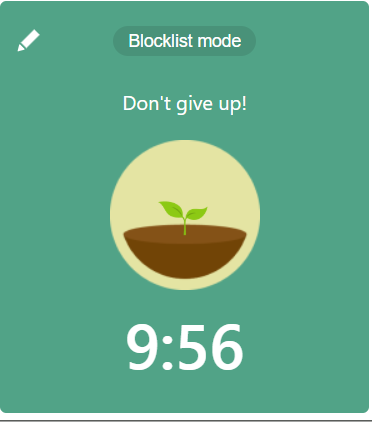
If your primary goal is to stay motivated throughout your work sessions, opting for gamified Pomodoro apps can be a game-changer. These apps often incorporate elements of gamification, such as rewards, challenges, and progress tracking, to keep users engaged and motivated. By turning work into a fun and interactive experience, gamified Pomodoro apps can help you stay focused and committed to your tasks.
If you want planning → choose task-based apps
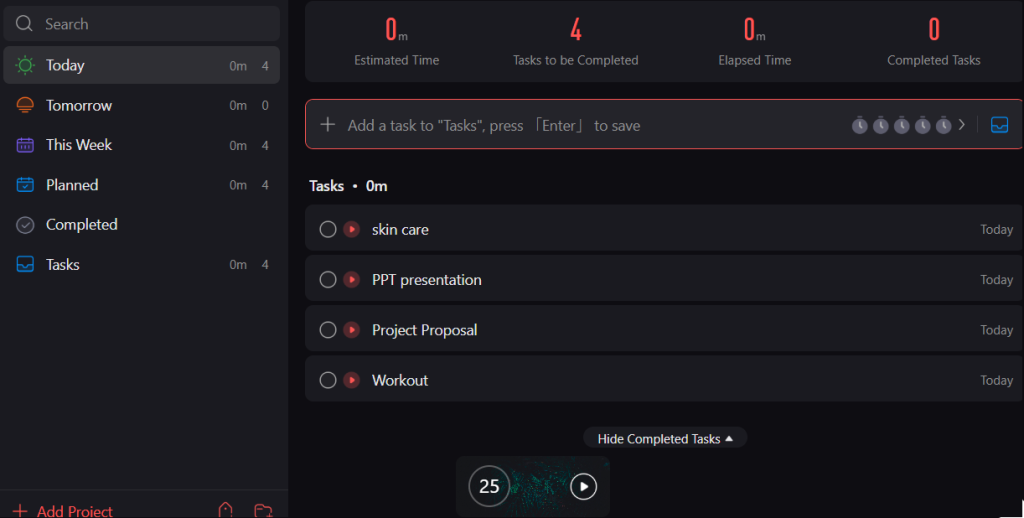
On the other hand, if meticulous planning and task management are your top priorities, task-based Pomodoro apps might be the perfect fit for you. These apps are designed to help users break down their work into manageable tasks, set priorities, and track progress effectively. With features like task lists, subtasks, and project timelines, task-based Pomodoro apps can streamline your workflow and enhance your productivity.
If you want simplicity → choose minimal timers
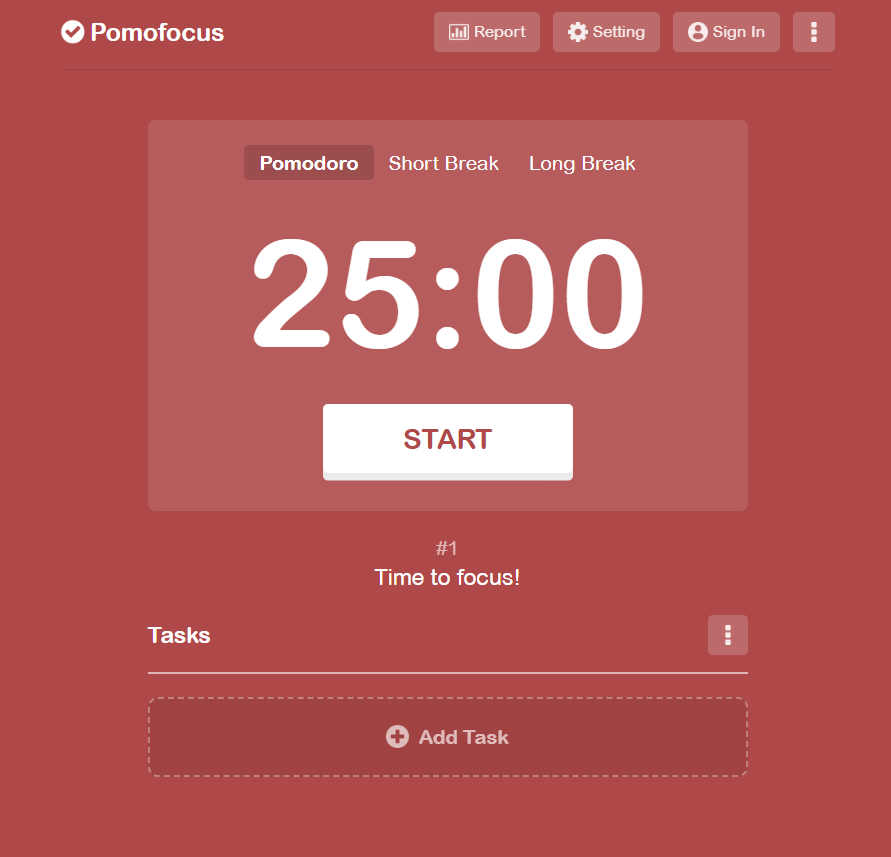
For those who prefer a minimalist approach to time management, choosing Pomodoro apps with simple and intuitive timers can be beneficial. These apps focus on providing a clean and distraction-free interface, allowing users to concentrate on their work without any unnecessary clutter. With features like customizable timer settings, notifications, and seamless integration with other tools, minimal Pomodoro apps offer a straightforward and efficient way to boost your productivity.
Selecting the right Pomodoro app for your productivity needs involves considering your preferences for motivation, planning, or simplicity. Whether you opt for gamified apps, task-based apps, or minimal timers, the key is to choose an app that aligns with your work style and helps you stay focused and organized. By leveraging the unique features of different Pomodoro apps, you can optimize your time management efforts and maximize your productivity.
Tips to Get the Most Out of Pomodoro Apps
Start with short 25-minute sessions
When using Pomodoro timer apps for boosting productivity, it’s essential to start with short 25-minute sessions. Known as Pomodoro sessions, these short bursts of focused work are highly effective in combating procrastination and enhancing concentration. By breaking your work into manageable intervals, you can maintain high energy levels and avoid burnout.
The reason short sessions work isn’t willpower; it’s design. Knowing you only have to focus for 25 minutes lowers the activation energy needed to start. The brain is much more willing to commit to a bounded task than an open-ended one. This is the same principle behind the Zeigarnik effect: once you start a task, your brain keeps it in active memory until it’s done, which naturally reduces the urge to switch to something easier.
Eliminate distractions during focus blocks
To maximize the benefits of Pomodoro apps, make sure to eliminate distractions during your focus blocks. Find a quiet workspace, silence notifications, and let others know that you are in a focused work session. By creating a distraction-free environment, you can fully immerse yourself in the task at hand and accomplish more in less time.
Track sessions to build a consistent routine
Tracking your Pomodoro sessions is key to building a consistent routine and improving your productivity over time. Many Pomodoro timer apps offer features to track your sessions, analyze your work patterns, and identify areas for improvement. By reviewing your session data, you can refine your workflow, set realistic goals, and stay motivated to achieve them.
In conclusion, by starting with short 25-minute sessions, eliminating distractions during focus blocks, and tracking your sessions to build a consistent routine, you can make the most out of Pomodoro apps and supercharge your productivity.
Conclusion:
The right Pomodoro app depends on your work style. Consistent focus sessions lead to better productivity.
The right Pomodoro app depends on your work style
When it comes to boosting productivity, finding the best Pomodoro timer app that aligns with your work style is crucial. With numerous options available in the market, it’s essential to choose one that suits your preferences and helps you stay focused during work sessions.
Different Pomodoro timer apps offer various features such as customizable timers, task tracking, and even ambient sounds to enhance concentration. Some apps cater to visual learners with colorful interfaces, while others focus on minimalistic designs for a distraction-free experience.
Consistent focus sessions lead to better productivity
By incorporating consistent focus sessions using the Pomodoro technique, you can effectively manage your time and tasks. Breaking your work into intervals with short breaks in between can prevent burnout and maintain a high level of productivity throughout the day.
Experimenting with different Pomodoro timer apps can help you discover which one complements your workflow the best. Whether you prefer a simple interface or advanced task management tools, the right app can significantly impact your productivity levels.
Remember, the key to success lies in finding a Pomodoro timer app that not only keeps you on track but also motivates you to accomplish your goals efficiently. Choose wisely and watch your productivity soar to new heights.
Frequently Asked Questions
A Pomodoro Timer App is a tool designed to help users implement the Pomodoro Technique, a time management method that breaks work into intervals, traditionally 25 minutes in length, separated by short breaks.
By breaking work into focused intervals followed by short breaks, Pomodoro Timer Apps help maintain concentration and prevent burnout, leading to enhanced productivity and efficiency.
Yes, Pomodoro Timer Apps can be beneficial for various tasks, including studying, working on projects, writing, programming, and more. They provide a structured approach to work that can be adapted to different activities.
Many Pomodoro Timer Apps come with customization features, allowing users to adjust the length of work intervals, break durations, and other settings to suit their preferences and work styles.
Yes, several Pomodoro Timer Apps offer synchronization capabilities, enabling users to seamlessly switch between devices and continue their work sessions without interruption.
Absolutely! Pomodoro Timer Apps are user-friendly and easy to get started with, making them suitable for beginners who want to improve their time management skills and productivity.
Many Pomodoro Timer Apps include features to track work sessions, analyze productivity patterns, and provide insights into areas where users can optimize their workflow for better results.
Pomodoro Timer Apps are available in both free and paid versions, with premium options offering additional features such as advanced customization, integration with other tools, and customer support.